

Sliick
Create 3D device mockups from screenshots and videos
What is Sliick?
Sliick is a Mockup Generation tool. Create 3D device mockups from screenshots and videos. It is aimed at designers and product managers.
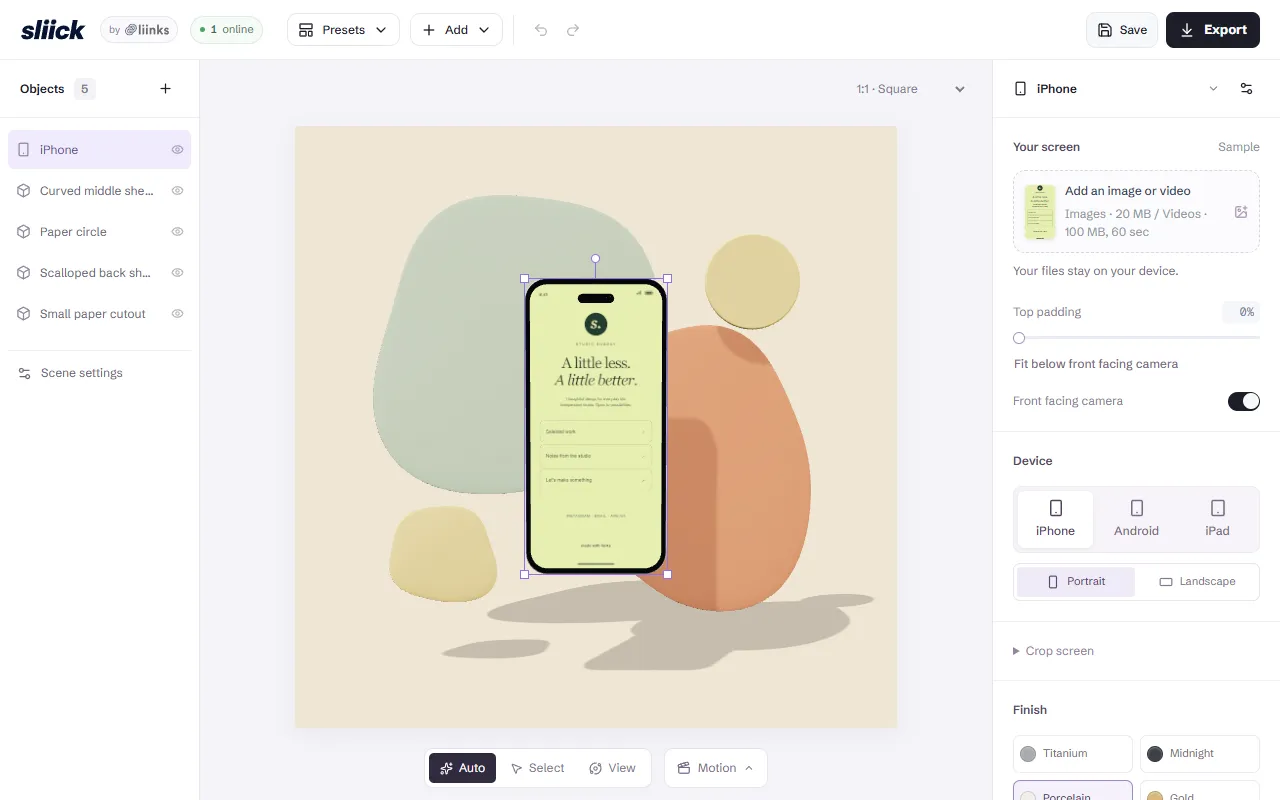
Sliick turns screenshots and videos into 3D device mockups directly in the browser. It offers features like arranging multiple devices and adding shapes to scenes. The tool is free with local exports.
Built for designers and product managers.
Key capabilities
Features
Device
Add A Shape
Multiple Devices
Supports arranging multiple devices in a scene
Scenes
Provides pre-designed scenes for mockups
Use cases
- Arrange multiple devices in a scene
- Add shapes to mockup scenes
- Select device models for mockups
Who it's for
Pros & cons
Pros
- Free with local exports
Cons
No documented limitations yet.
FAQ
What is Sliick?
Sliick is a Mockup Generation tool. Create 3D device mockups from screenshots and videos. Sliick turns screenshots and videos into 3D device mockups directly in the browser. It offers features like arranging multiple devices and adding shapes to scenes. The tool is free with local exports.
Who should use Sliick?
Sliick is built for designers and product managers. Common uses: arrange multiple devices in a scene, add shapes to mockup scenes and select device models for mockups.
What are the best alternatives to Sliick?
Similar tools on AiByts include Mock Magic, Rewarx Studio, Ultramock, Pica and Stitch AI by Dynamic Mockups.
Details are compiled from Sliick's website and public sources, last verified Oct 5, 2026. Features and pricing change — confirm on the official site before you buy.
Try Sliick
Visit the official website
Tags
- 3D Mockups
- Device Mockups
- Scene Design
Comments
Sign in to join the discussion.