

Speechmark
Records, transcribes, and summarizes Mac meetings with on-device processing.
What is Speechmark?
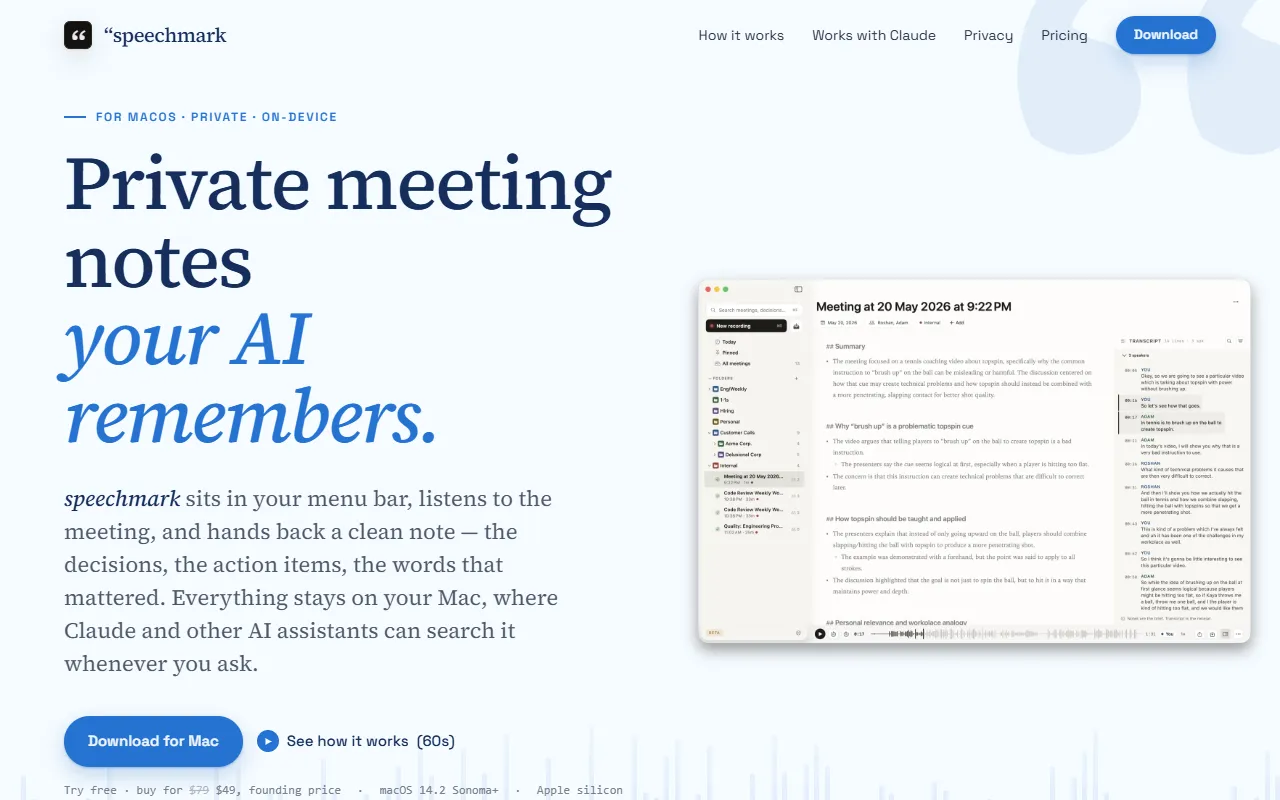
Speechmark is a Meeting Notes tool that records, transcribes, and summarizes Mac meetings with on-device processing. Speechmark is a paid tool. A free trial of 14 days is available. It is available on macOS. It is aimed at remote teams and productivity enthusiasts.
Speechmark records, transcribes, and summarizes meetings on macOS. It provides speaker diarization, AI-generated decisions and action items, and no account or login required. All processing is on-device with no external bots joining calls.
Built for remote teams and productivity enthusiasts.
Key capabilities
Features
On-Device Recording
Records meetings locally without cloud upload.
Speaker Diarization
AI Summary
Generates summaries with decisions and action items.
No Account Required
Menu Bar Integration
Local Data Storage
Stores meeting data in a local SQLite file.
Export to Markdown
Use cases
- Record and transcribe meetings on macOS
- Generate AI summaries with decisions and action items
- Identify speakers in meeting transcripts
Popular use cases
Who it's for
Pros & cons
Pros
- No account or login required
- On-device processing for privacy
- Public API available
Cons
- No free plan available
Pricing
Paid. Free trial of 14 days available.
See current pricing on Speechmark's website (opens in a new tab)Integrations
Developer & API
Public API available
FAQ
What is Speechmark?
Speechmark is a Meeting Notes tool that records, transcribes, and summarizes Mac meetings with on-device processing. Speechmark records, transcribes, and summarizes meetings on macOS. It provides speaker diarization, AI-generated decisions and action items, and no account or login required. All processing is on-device with no external bots joining calls.
Is Speechmark free?
No, Speechmark is a paid tool. A free trial is available.
How much does Speechmark cost?
Speechmark is a paid tool. A free trial of 14 days is available.
Does Speechmark have an API?
Yes, Speechmark offers a public API for building custom integrations.
What platforms does Speechmark support?
Speechmark is available on macOS.
Who should use Speechmark?
Speechmark is built for remote teams and productivity enthusiasts. Common uses: record and transcribe meetings on macOS, generate AI summaries with decisions and action items and identify speakers in meeting transcripts.
What does Speechmark integrate with?
Speechmark integrates with Anthropic.
What are the best alternatives to Speechmark?
Similar tools on AiByts include Bluedot, Askmeety, Granola, RecordMeeting and Supernormal.
Details are compiled from Speechmark's website and public sources, last verified Oct 6, 2026. Features and pricing change — confirm on the official site before you buy.
Try Speechmark
Paid
Tags
- Speaker Diarization
- AI Summaries
- Markdown Export
Comments
Sign in to join the discussion.