
v0.7.0
LLM inference in C/C++. Contribute to ggml-org/llama.cpp development by creating an account on GitHub.
llama.cpp11 min read
Stay updated with the latest developments in Artificial Intelligence
LLM inference in C/C++. Contribute to ggml-org/llama.cpp development by creating an account on GitHub.
For years the answer was 'one note at a time, as a PDF.' macOS 26 changed that, and most guides haven't caught up. Here's every way to bulk-export Apple Notes now — on a Mac, an iPhone, an iPad or a Windows PC — and what each method quietly leaves behind.
Harbor picked up three everyday features at once: inline tags, notebooks and tags in quick search, and emoji. Here's what each one does, and the version you need for it.
We're on Product Hunt today, and the founder is in the comments until they go quiet. Here's the short version of what Harbor is and isn't, plus the questions worth asking before you move your second brain anywhere.
Every ENEX converter in the search results asks you to upload your export. We think that's a bad trade for a file full of bank statements and medical letters, so we built one with no server to upload to — and wrote the ZIP and hashing code by hand to keep anyone else's code away from it.
Sixteen of the 24 notes apps we checked now ship their own MCP server, so having one isn't the question any more. We compared what matters when you pick: whether your AI can reach it, whether it can delete, whether you can rein it in, and what you pay to get in.

Linking a note used to mean stopping, going back to an empty line, and opening the slash menu. Now you type two brackets and carry on — and if the note doesn't exist yet, the list offers to create it.
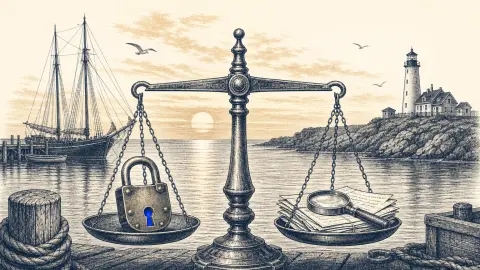
Every encrypted-notes pitch skips the bill. A note your app genuinely can't read is a note it can't search, can't OCR and can't hand to your AI. We checked what five notes apps encrypt by default, and what each one gives up to do it.
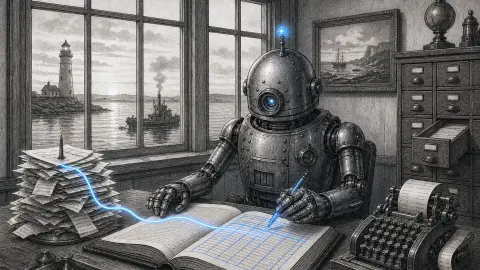
Hours of monthly bookkeeping, done on a schedule by an agent, with the finished statement filed into Harbor as a note. Why a note beats a spreadsheet for this, and why the boring guardrails matter more than the AI.
Notebooks hold notes, stacks group notebooks, and tags cut across everything, nesting up to three levels. A simple system you already understand.
Pick the folder on Android, or zip your vault and upload it in the web app. Your folders become notebooks, your links between notes keep working, and your images and PDFs come with them.
A workspace hides everything you aren't working on right now. Group notebooks into Work and Personal, switch between them from the account menu, and Harbor narrows to just that. It's a view, not privacy.
The Harbor Web Clipper runs on Chrome, Edge, Firefox, and Safari — all four at launch, from one extension codebase, with the same features in each one.
Complete reference for Harbor's auth endpoints: OAuth token grants, the PKCE authorization flow, personal access tokens, and OAuth app management.
Your first Harbor API call in about five minutes: mint a personal access token, then read and create notes over REST — with curl, Python, JavaScript, or Go.
Harbor's encryption is optional and zero-knowledge: turn it on per note or notebook, and it is sealed on your device before it ever reaches our servers.
Harbor's server reads the text inside your photos, scans, and PDFs, so search finds words inside attachments — and highlights the match on the page.
No AI assistant, by design — just one small helper that names a note from what's in it. Harbor is open instead: API, CLI, and MCP, so the AI you already pay for can work with your notes.
Your account goes read-only — nothing is deleted, and export and delete always keep working. Come back any time and pick up right where you left off.
Showing 18 of 31 stories
Load more storiesGet the top AI news and tools straight to your inbox every week.
Weekly · AI news from Harbor Blog
Join 15,000+ AI enthusiasts