Know a great AI tool or AI news source? Submit it to AiByts

AMP

37 stories

Stories

← Back to the latest stories
  • Desktop

    Your orb now has a desktop you can see and control. Use the Desktop tab in any orb thread to get a high-resolution interactive Linux desktop. It's useful for verifying the agent's work when developing for Linux, Android, or the Chrome extension API, or when working with file formats that need to be…

    Amp Blog1 min read
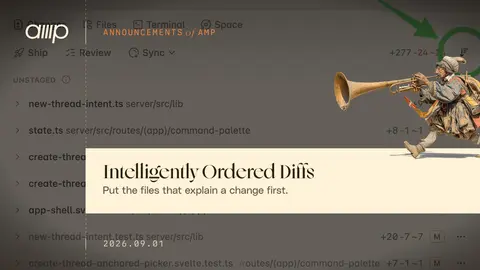
  • Intelligently Ordered Diffs

    The first challenge in code review is figuring out which files to read first. Amp now orders diffs intelligently and highlights which files contain the essential changes. Click the file order button to toggle between alphabetical and intelligent order.

    Amp Blog1 min read
  • Fable 5.1

    Claude Fable 5.1 now powers Amp's ultra mode, replacing Fable 5. It's very good at writing, very good at taking direction mid-task, and very good at working on its own. And it costs less to run.

    Amp Blog3 min read
  • Space to Talk

    Every thread in Amp now comes with its own space to talk. Hit Enter and you're in. Turn on your camera, share your screen, and talk it over with your team while the agent works. No links to paste, no calendar invite, no other app. The call lives where the work lives.

    Amp Blog1 min read
  • Amp on iOS & macOS

    Control your orbs from anywhere. Install the iOS app through TestFlight[^1], and the macOS app through direct download. Download at ampcode.com/app. It's orbin' time no matter where you are.

    Amp Blog1 min read
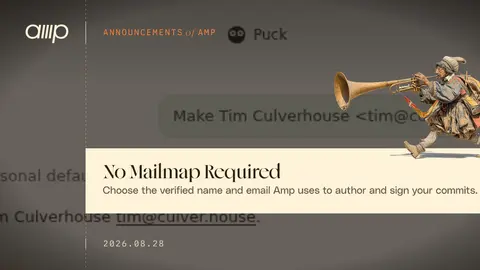
  • No Mailmap Required

    Amp can now use a Git identity that is separate from the email on your Amp account. Pick the name and verified email that should appear on commits made in orbs. You can ask Puck to set it for you: If you have not added the identity yet, Puck sends a verification link to the email address.

    Amp Blog1 min read
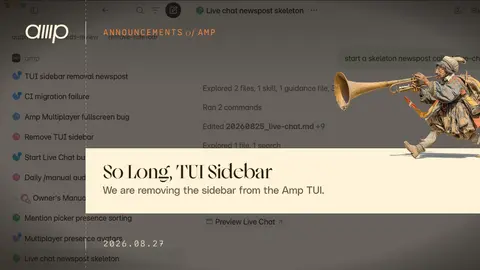
  • So Long, TUI Sidebar

    We are removing the sidebar from the Amp TUI. Why? Because orbs, runners, and cross-agent messages means that there are more threads than ever. We believe the best place to keep track of all those threads is in the Amp native and web apps, with their more powerful sidebars.

    Amp Blog1 min read
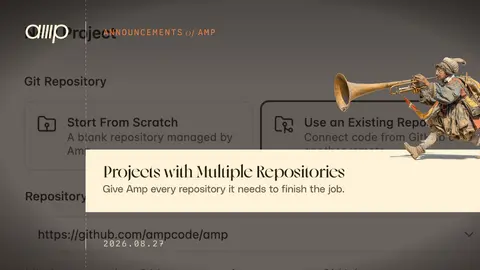
  • Projects with Multiple Repositories

    Projects in Amp can now include more than one repository. Additional repositories are checked out to an adjacent directory in the orb and the agent is made aware of them. The changes panel will show the diff across all repositories in the project.

    Amp Blog1 min read
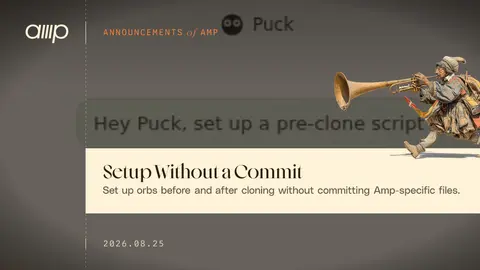
  • Setup Without a Commit

    You can now store scripts to set up orbs outside of your repository. Amp can store pre-clone and pre-setup scripts in your project settings and access them when spawning an orb.

    Amp Blog1 min read
  • Friendly URLs for Sharing Orbs

    We use orb portals all the time to share what we're builing and get feedback. But the URLs were ugly and auto-generated. So, we made them nice and friendly.

    Amp Blog1 min read
  • Explain Usage

    .explain-usage-video-border { margin: 1.5rem 0; padding: 8px; border: 1px solid rgb(128 128 128 / 20%); border-radius: 18px; background: rgb(128 128 128 / 20%); } .explain-usage-video-clip { overflow: hidden; border-radius: 10px; } .explain-usage-video-clip video { display: block; width: 100%;…

    Amp Blog1 min read
  • MCP in Orbs

    You can now connect remote MCP servers on ampcode.com and use them in orbs, the TUI, and with Puck. To add an MCP server: Visit ampcode.com/settings/mcp-servers, Select a pre-configured server or click "Add MCP Server" Log into the server using OAuth, Start a thread in an orb, the TUI, a runner, or…

    Amp Blog1 min read
  • Pass the Orb to the Left Hand Side

    You can now bring your team into your orb. Use @ to tag members of your team, and they'll be able to view, drive, and send chat messages to the thread. We've been having a lot of fun with this feature recently. Here are a few examples: ← 1 / 9 →

    Amp Blog1 min read
  • Talk to Puck

    You can now talk with Puck in realtime: Realtime chat with Puck is powered by gpt-realtime-2.1. It delegates work to the Puck agent you already know, powered by GPT-5.6 Sol. Once the agent responds, gpt-realtime-2.1 summarizes the answer out loud while the full response appears in the thread.

    Amp Blog1 min read
  • Education Discount

    Students and teachers can now subscribe to Amp for $10/month, half the usual price. What do you get for $10? Quite a lot! You get to use the best frontier agent. You get orbs, our remote machines that let you run agents from anywhere without supervision.

    Amp Blog1 min read
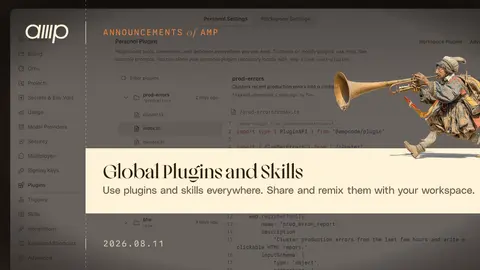
  • Global Plugins and Skills

    With so much work happening in orbs there needed to be a new place to store Amp plugins and skills. So we added global plugins and skills. They're Amp-hosted, built for agents, and work everywhere Amp runs.

    Amp Blog2 min read
  • A Dial for You

    We changed the Dial. Link a ChatGPT subscription and low, medium, and high only use OpenAI models: as the main agent, as the oracle, as the thread reader, as code review. Every model behind those modes is an OpenAI model, billed to your subscription.

    Amp Blog2 min read
  • Size the Orbs of Production!

    People are using a lot of orbs. We love to see that. We've shipped a lot of things so that Amp subscriptions keep covering the whole month of orb usage for almost everyone, even as orb usage grows quickly. Way back on July 27, we cut orb prices by 20% for everyone.

    Amp Blog2 min read

Showing 36 of 37 stories

Load more stories
AiByts Weekly Brief

Get the top AI news and tools straight to your inbox every week.

Weekly · AI news

Join 15,000+ AI enthusiasts