Know a great AI tool or AI news source? Submit it to AiByts

Astropad

10 stories

Stories

  • A Comparison of Anti-Reflective Phone Displays [2026Data]

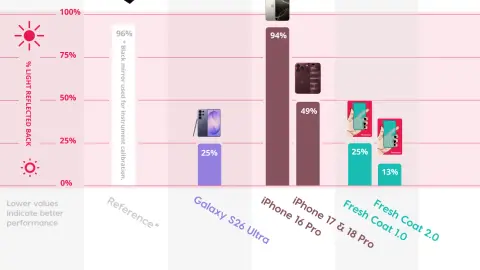
    Last year we tested the iPhone 17’s anti-reflective (AR) performance, and the results sparked a lot of curiosity. The iPhone 17 lineup introduced Ceramic Shield 2, the first iPhone display with a factory anti-reflective coating built in, which cut reflections by about half compared to the iPhone…

    Astropad Workbench Blog6 min read
  • Workbench vs Screens Remote Desktop

    If you’re looking for remote desktop software for your Mac, Workbench and Screens will probably both come up. They’re two of the most popular options for Apple users, and on the surface they look similar: Both let you access a Mac from another device. Both have native iPhone and iPad apps.

    Astropad Workbench Blog8 min read
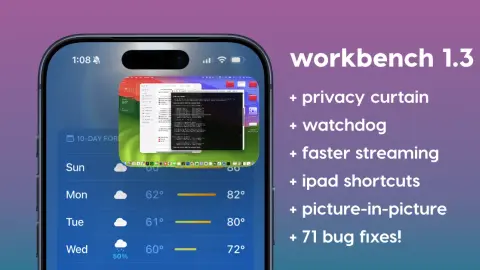
  • Workbench 1.3: Privacy curtain, watchdog & faster streaming

    We just shipped Workbench 1.3, the biggest update since we first launched this spring. This release focuses entirely on making Workbench faster and more dependable: How to update: Launch the apps on your devices and you’ll be prompted to download the latest version.

    Astropad Workbench Blog3 min read
  • Workbench vs TeamViewer

    If you’re looking for a way to access your Mac remotely, Workbench and TeamViewer will probably both come up in your research. They’re both widely used remote desktop tools, and on the surface they seem to solve the same problem. But they weren’t built for the same person.

    Astropad Workbench Blog9 min read
  • How to set up OpenClaw on Mac mini

    I’ve got a Mac mini sitting on a shelf in my office that handles a chunk of my busy work. It does sales reporting, scans my Shopify inventory, drafts social media content, and runs coding tasks that would typically tie up my MacBook for an hour.

    Astropad Workbench Blog10 min read
  • Workbench vs Jump Desktop

    If you’re looking for remote desktop software for your Mac, Workbench and Jump Desktop will probably both come up. They’re two of the most popular options, and on the surface they look similar: Both let you access a Mac from another device. Both work well. Both have strong reputations.

    Astropad Workbench Blog8 min read
  • How to Charge Any Apple Pencil (1st Gen, 2nd Gen, USB-C & Pro)

    Quick answer: To charge an Apple Pencil, connect it to your iPad with Bluetooth on. A 1st-gen Pencil plugs into the Lightning port (or a USB-C-to-Apple-Pencil adapter); a 2nd-gen or Apple Pencil Pro snaps magnetically to the right edge of the iPad; and a USB-C Pencil charges with a USB-C cable.

    Astropad Workbench Blog3 min read
  • Use Your iMac as a Monitor: A Step-by-Step Guide [2026]

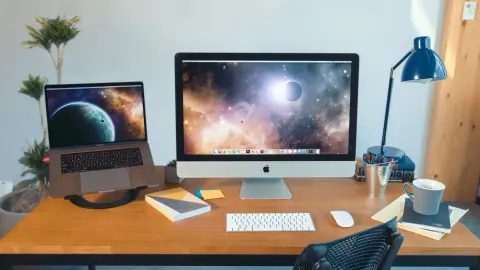
    Looking for a way to use your iMac as a monitor for your Mac or PC? Look no further, this guide walks step by step through how to use your gorgeous 5k iMac display for your Mac or PC.

    Astropad Workbench Blog10 min read
  • Do You Need a Dummy Plug for a Headless Mac Mini?

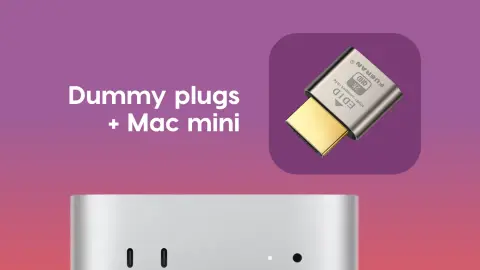
    When I set up my first headless Mac mini, I was confused about whether or not I needed a dummy plug. Every guide I found was written for Intel Macs, and the answer was always yes: buy the dongle, plug it in, done. New to this? Start with our headless Mac mini setup guide.

    Astropad Workbench Blog5 min read
  • How to Fix Apple Pencil Not Working or Not Connecting [2026 Guide]

    Is your Apple Pencil not working? Won’t connect to your iPad? Unresponsive or dropping connection? It’s usually due to one of these reasons: For everything else about using Apple’s stylus, see our complete guide to Apple Pencil.

    Astropad Workbench Blog6 min read
Showing 10 of 10 stories

You're all caught up.

AiByts Weekly Brief

Get the top AI news and tools straight to your inbox every week.

Weekly · AI news

Join 15,000+ AI enthusiasts