Know a great AI tool or AI news source? Submit it to AiByts

Elegant Themes Blog

51 stories

Stories

← Back to the latest stories
  • Creating A Design System From A Screenshot with Divi AI Agents

    A screenshot gives you a visual direction, but turning it into a reusable website takes more than matching colors and spacing. You need shared values for typography and sizing, plus reusable styles that keep later pages consistent.

    Divi Blog13 min read

  • Creating Custom SVGs with Divi AI Agents

    Divi AI Agents can create custom SVG graphics from plain-language instructions. Describe an icon, divider, or badge, specify its style and colors, and ask the agent to add it to your layout as an editable SVG Module.

    Divi Blog8 min read
  • Components Inside Of Components Using Slots

    A resource section can share one introduction across several pages while presenting different content beneath it. Reusing both the section and its cards lets you maintain those designs separately. With Components and Slots in Divi 5, you can combine those two levels of reuse.

    Divi Blog11 min read
  • Nested Variables, Variable Math & Variable Combinations for Divi 5

    I’m excited to introduce a new level of flexibility for Divi 5 variables: combine them, nest them within other variables, and use them directly in calculations within your settings. 🎉 Create spacing relationships that stay connected as your design changes.

    Divi Blog5 min read
  • WordPress vs Astro (2026): Which One Fits Your Next Site?

    WordPress and Astro can both power a blog, portfolio, or business website, but they give you different starting points. WordPress includes a content management system with an editing dashboard, user accounts, and a media library.

    Divi Blog12 min read
  • How To Use Empty Grid Cells To Create More Interesting Compositions In Divi 5

    Most grid layouts fill every available cell. Leaving some cells empty can create a more interesting composition, with space that guides the eye through the content. With CSS Grid in Divi 5, Grid Offset Rules let you position items precisely and leave selected cells unoccupied.

    Divi Blog7 min read
  • Introducing The Icon Manager For Divi 5

    I’m excited to introduce the Icon Manager for Divi 5, a central place to import your own icons, organize them into collections, and choose which collections appear while you build.

    Divi Blog5 min read
  • How Divi AI Agents Pricing Works (And Which Models Are Worthwhile)

    Divi AI agents can build, edit, and restyle your pages from plain-language instructions. Quick edits can cost very little, while full layout generations and advanced multi-step tasks vary in cost depending on the models used and the work involved.

    Divi Blog7 min read
  • Getting On-Demand Support With The Ask Feature In Divi AI Agents

    Divi AI Agents can help you understand your website as well as build it. With the Ask feature in Divi 5, you can ask about settings and layout approaches and get guidance based on the page you’re working on, all from inside the Visual Builder. Ask works from the page you’re on.

    Divi Blog7 min read
  • How To Create A Responsive Image Mosaic With Divi 5’s CSS Grid Editor

    An image mosaic combines photographs of different sizes in one connected grid. Larger tiles highlight selected images, while smaller tiles fill the spaces around them. With Divi 5’s CSS Grid Editor, you can build this arrangement visually, resizing and positioning tiles directly on the grid canvas.

    Divi Blog8 min read
  • Exploring Slots For Components In Divi 5

    Sometimes a reusable section needs more than a different heading or button label. One page might need a workshop schedule, while another needs a booking form. You still want the surrounding design to look consistent and update from one place.

    Divi Blog19 min read
  • Introducing Multi-Select And Bulk Editing For Divi 5

    Editing a website often means making the same change more than once. Adjust the spacing on several cards. Restyle a handful of buttons. Move a collection of modules into another column. Multi-Select and Bulk Editing bring those tasks together in Divi 5.

    Divi Blog7 min read
  • How To Build A Bento Grid Hero With Divi 5’s CSS Grid Editor

    A bento grid brings images, headlines, supporting details, and calls to action into one arrangement of differently sized cards. Shared edges and consistent gaps hold the layout together, while the larger cards give important content more room.

    Divi Blog11 min read
  • Exploring Components In Divi 5

    Components in Divi 5 let you reuse a design, update it from one saved source, and choose which content each use can change. We’ll build three service cards for Brand Identity, Web Design, and Creative Direction.

    Divi Blog17 min read
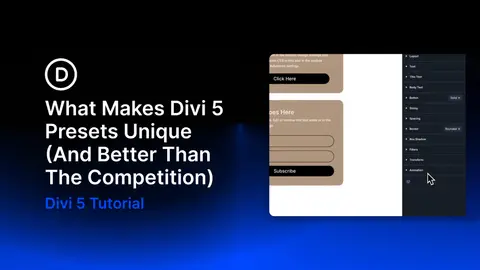
  • What Makes Divi 5 Presets Unique (And Better Than The Competition)

    Reusable styles are only part of a design system. The way settings connect, combine, and update matters just as much once a site grows. In Divi 5, presets form a connected system: small groups of settings can feed into larger presets, while variations can be layered without duplicating the entire…

    Divi Blog11 min read

Showing 36 of 51 stories

Load more stories
AiByts Weekly Brief

Get the top AI news and tools straight to your inbox every week.

Weekly · AI news

Join 15,000+ AI enthusiasts