Best Local LLMs for Your Mac in October 2026: 24GB to 128GB Picks
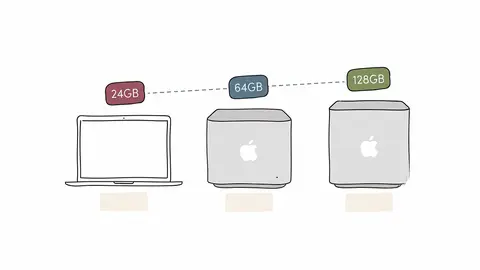
Qwen3.8-27B on a 24GB MacBook, Flash-Next on a 64GB mini, which Studio stack to pick, and the Ollama default that quietly breaks agents.Continue reading on Towards AI »
7 stories
Qwen3.8-27B on a 24GB MacBook, Flash-Next on a 64GB mini, which Studio stack to pick, and the Ollama default that quietly breaks agents.Continue reading on Towards AI »
I priced 50 days of my own $200 AI plan at API rates first. The number a Mac Studio has to beat is a lot smaller than $200.Continue reading on Towards AI »
macOS gives your models about 10.7GB of the 16GB. Here's what fits, how fast it runs, seven defaults to fix, and a script to test your ownContinue reading on Towards AI »
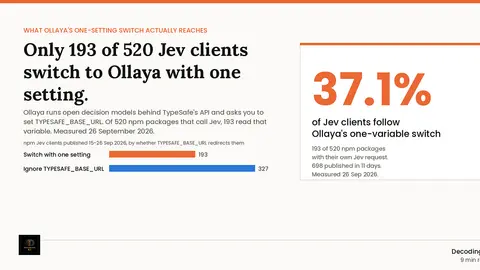
Only 193 of 520 npm Jev clients honour TYPESAFE_BASE_URL, the one setting Ollaya needs to run Jev locally. Official-SDK clients: 86%. Hand-rolled: 12%.
The 27B fits on the card and matches full precision at 4-bit. Flash-Next scores higher but needs 64 to 128GB of system RAM.Continue reading on Towards AI »
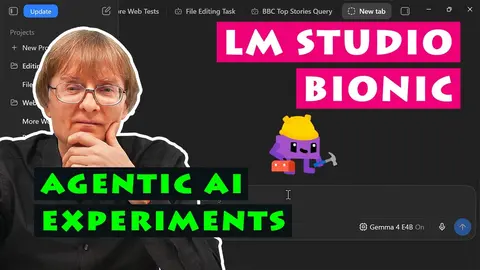
LM Studio Bionic installed and tested on modest PC hardware, and then used to run local AI models for agentic web access and document manipulation. You can download Bionic from the LM Studio website here: https://lmstudio.ai/download My previous video about running Gemma 4 local AI models in LM…
Ask questions about your portfolio, review suggested spending categories, or connect your own AI agent through MCP. How AI works in Wealthfolio, what it can change, and where your data goes.
Showing 7 of 7 stories
You're all caught up.
Get the top AI news and tools straight to your inbox every week.
Weekly · AI news
Join 15,000+ AI enthusiasts