
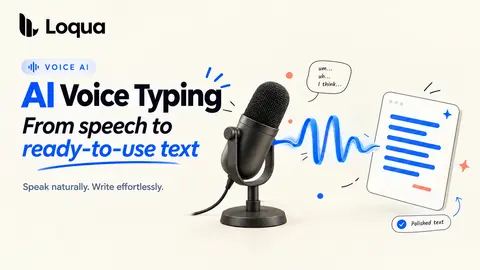
What Is AI Voice Typing Software—and How Is It Different from Traditional Dictation?
From speech to ready-to-use text: how AI voice typing understands meaning, context, and the way you work.
Loqua Blog4 min read
20 stories
From speech to ready-to-use text: how AI voice typing understands meaning, context, and the way you work.
Capture a code error, ask what happened, and keep the context. A practical guide to AI error analysis, screenshot understanding, and voice follow-ups.
Select anything on your screen, ask a question by voice, and get an instant answer without switching tabs, copying, or writing a prompt.
Voice productivity stack guide: Loqua, Claude Code, Cursor, Obsidian, Granola, Linear, Raycast, Things 3, and Spark.
Omni-modal voice typing needs a split pipeline, streaming audio, and Mac-local context. A look inside Loqua's voice stack.
Voice first workflow notes from Loqua's founder: inbox, standup, code review, spec drafting, Slack, and journaling.
Voice for thinking with AI helps preserve half-formed ideas before the keyboard compresses them into brittle prompts.
Mac meeting notes voice workflow: capture notes, action items, Notion bullets, Things tasks, and follow-ups without leaving your call.
Voice typing workflows for AI work: commits, PRs, Linear issues, replies, brainstorms, specs, code comments, and standups.
Audio event detection dictation is a research direction at Loqua: laughter, pauses, and sound cues as optional context for structured writing.
Multimodal voice recognition helps Loqua resolve homophones, code identifiers, and app context by combining audio with local screen cues.
Reinforcement learning voice typing helps Loqua improve rare terms, latency, and natural output after supervised training stops paying off.
Why multimodal voice typing needs audio plus screen context, what the omni-modal research shows, and what Loqua applies on Mac.
A Typeless alternative comparison for Mac: Loqua vs Typeless on context awareness, coding workflows, privacy posture, and pricing.
A dictation for writers workflow: cleaner drafts, character dictionaries, app-aware formatting, editing by voice, and long-form practice.
A blog-level look at Loqua's voice typing architecture — why three purpose-trained models (speech recognition, language intelligence, screen context) beat one.
A private voice dictation Mac architecture: what Loqua keeps local, when optional cloud processing can be used, and how privacy boundaries actually work.
How to dictate code on Mac with Loqua — camel-case identifiers, commit messages that pass review, PR descriptions in your voice. Six worked examples + setup.
Showing 18 of 20 stories
Load more storiesGet the top AI news and tools straight to your inbox every week.
Weekly · AI news
Join 15,000+ AI enthusiasts