
Know a great AI tool or AI news source? Submit it to AiByts

OpenOwl

16 stories

Stories

  • AI Desktop Automation vs RPA: What Changed

    RPA replays selectors recorded at design time. AI desktop automation reads the accessibility tree and runs OCR at runtime. A look at how each one fails, what maintenance costs, and which workloads should stay on UiPath or Automation Anywhere.

    OpenOwl Blog1 min read
  • Can AI See Your Screen? How It Actually Works

    No model watches your display on its own. A screenshot reaches an AI only when software you installed captures one and sends it. Here is the full pipeline, what leaks into a capture, and which parts never leave your Mac.

    OpenOwl Blog1 min read
  • What Is an Accessibility Tree in AI Automation?

    The accessibility tree is the labeled hierarchy macOS publishes for screen readers, and it gives an AI agent exact element coordinates instead of pixel guesses. A look at the token math against screenshots, the cases where the tree returns nothing, and how OpenOwl queries it through AXUIElement.

    OpenOwl Blog1 min read
  • Fix macOS Permissions for Computer Use Agents

    Accessibility and Screen Recording are the two TCC grants every macOS computer use agent needs, and both fail in confusing ways. Here is why the prompt keeps coming back, why your screenshots are black, and why the restart is not optional.

    OpenOwl Blog1 min read
  • Best MCP Servers for Screen and UI Control

    Screen control MCP servers split into read-only capture and full input control, and that split decides your security posture more than any feature list. A breakdown of the tiers, token costs, OCR fallbacks, and what breaks in production.

    OpenOwl Blog1 min read
  • Add a Desktop MCP Server to Codex CLI

    Codex CLI reads MCP servers from ~/.codex/config.toml. Here is the exact TOML block OpenOwl's installer writes, the two macOS permissions the server needs, and the errors you will hit on the way.

    OpenOwl Blog1 min read
  • Claude Cowork vs Local Desktop Agents

    Claude Cowork runs an agent in Anthropic's cloud for team document work. A local MCP agent runs on your own Mac and drives the apps you already have open. Here is where each one wins on privacy, cost, and what it can actually reach.

    OpenOwl Blog1 min read
  • Loop Engineering for AI Desktop Automation

    Loop engineering is the practice of writing a loop that prompts Claude until a job finishes on its own. This guide points that loop at real desktop and community work on macOS with OpenOwl, including the reliability lessons we learned running one in production.

    OpenOwl Blog1 min read
  • Perplexity Computer Alternatives That Run Locally

    A Perplexity Computer alternative is any tool that gives an AI assistant control of a real desktop without buying Perplexity's device. We break down local versus cloud execution, what data actually leaves your machine, and where local setups break.

    OpenOwl Blog1 min read
  • Run a Free AI Agent on Your Mac (No Subscription)

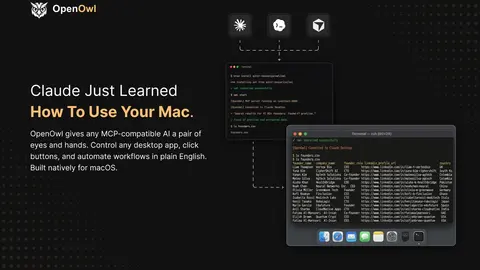
    OpenOwl gives Claude Code eyes and hands on your Mac through 42 MCP tools, free at 50 tool calls a day with no credit card. A setup guide covering install, permissions, your first automation, and what the free tier actually covers.

    OpenOwl Blog1 min read
  • MCP vs Computer Use: What Is the Difference?

    MCP is a protocol for how models discover and call tools. Computer use is a capability where a model reads a screenshot and issues clicks. They solve different problems, and the token cost between them differs by an order of magnitude.

    OpenOwl Blog1 min read
  • MCP Server for Desktop Automation: 2026 Guide

    A practical comparison of MCP servers for desktop automation, covering how screenshot and accessibility-tree approaches differ, where Windows-MCP, mcp-desktop-automation, and OpenOwl each fit, and what the permission model actually requires.

    OpenOwl Blog1 min read
  • OpenClaw vs OpenOwl: Desktop Control Compared

    OpenClaw runs skills and shell commands. OpenOwl runs 42 MCP tools that see the screen and query the accessibility tree. A side-by-side look at the architectures, the setup cost, and where each one breaks.

    OpenOwl Blog1 min read
  • Claude Code Computer Use: 7 Limits to Know

    Claude Code can control your screen, but the feature ships with seven hard constraints: a machine-wide lock, no headless mode, plan gating, provider exclusions, macOS-only CLI support, fixed screenshot downscaling, and per-app approval. Here is what each one blocks and how to work around it.

    OpenOwl Blog1 min read
  • Claude Computer Use Without Pro or Max

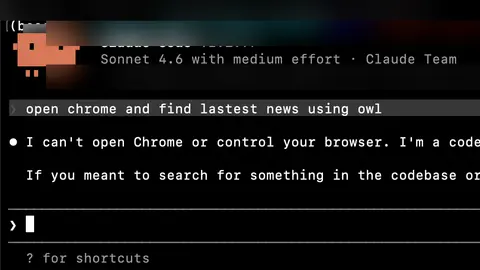
    Anthropic's computer use requires a Pro or Max plan and is unavailable on Team and Enterprise at any price. Here is the free route on macOS using an MCP server, including the daily limits and the failure modes you will hit.

    OpenOwl Blog1 min read

Showing 16 of 16 stories

You're all caught up.

AiByts Weekly Brief

Get the top AI news and tools straight to your inbox every week.

Weekly · AI news

Join 15,000+ AI enthusiasts