

Find What You Need Faster: Sidebar Folders by Type
PixyCAD can now group sidebar elements into folders by type. Open Bodies or Sketches to get straight to the part of your design you need.
PixyCAD Blog2 min read
15 stories
PixyCAD can now group sidebar elements into folders by type. Open Bodies or Sketches to get straight to the part of your design you need.

The new copy and paste functionality in PixyCAD lets you copy an element and transform it while you paste. Reuse the geometry you’ve already built and adjust the copy as part of the same workflow. Here’s how it works and where it comes in handy.
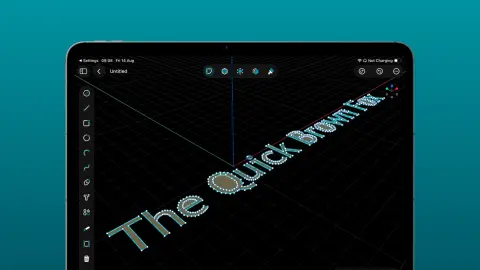
The new Sketch Text tool in PixyCAD drops real, editable text straight into your sketch. Type a word, pick a font, set the height, and it becomes geometry you can extrude, emboss, or cut. Labels, name plates, and embossed logos are now a single step. Here’s how it works and why we built it.
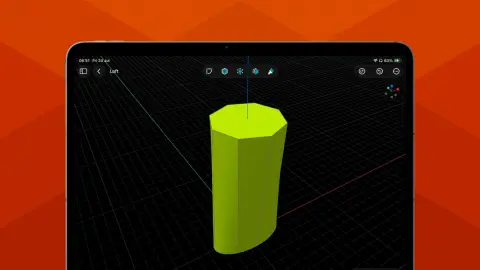
The new Loft tool in PixyCAD takes a series of profiles and builds a smooth solid that flows through every one of them. Transitions, funnels, adapters, and organic shapes that used to be a fight are now a single operation. Here’s how it works and why we built it.
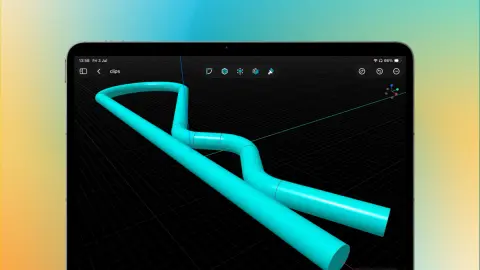
You asked for it on the feedback board, and it just shipped. The new Swept tool in PixyCAD lets you drive a profile along a path to create tubes, handles, frames, and other curved shapes that used to be a pain. Here’s how it works and why it exists.

We just launched feedback.pixycad.com, a public board where you can request features, report bugs, vote on ideas, and watch them ship. Here’s how we listen and why it matters.
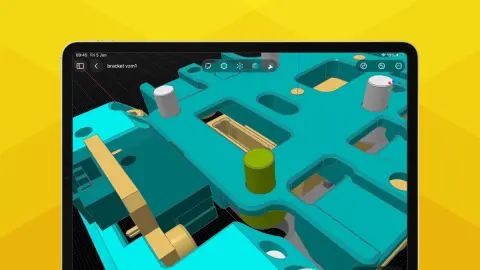
PixyCAD is now a one-time purchase. Pay once, own it forever, no recurring fees. Here’s why we changed our pricing model and what it means for you.

Learn how to get started with CAD on iPad. From basic concepts to your first design, this guide covers everything beginners need to know about 3D modeling on a tablet.

Slicers accept STL, 3MF, and (in modern versions) STEP. Here’s what each format actually carries, where each one shines, and which one to reach for.
A step-by-step walkthrough of designing a printable mounting bracket in PixyCAD - from first sketch to exported STL. No prior CAD experience required.
Watch how to import a STEP file into PixyCAD and edit it directly - in this case, adjusting the radius of a planter vase to fit a different pot.

Looking for a Fusion 360 alternative that’s simpler, more affordable, and built for makers? Here’s why hobbyists are switching to direct modeling on iPad and Mac.

PixyCAD gives you direct, hands-on editing tools that let you reshape solid models without rebuilding from scratch. Here’s how Move Face, Delete Face, Blend Radius, and Taper Face work in practice.
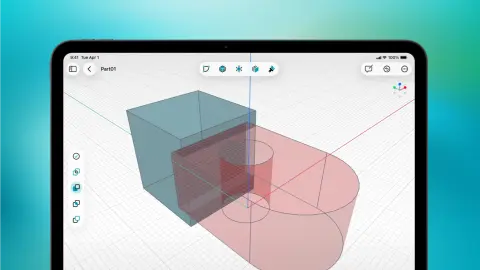
Looking for the best CAD app for iPad in 2026? We tested the top options for 3D printing, Apple Pencil support, and offline use. See which one wins.

Parametric vs direct modeling: which CAD approach is better for 3D printing? For many makers, direct modeling is the faster and more natural way to design printable parts.
Showing 15 of 15 stories
You're all caught up.
Get the top AI news and tools straight to your inbox every week.
Weekly · AI news
Join 15,000+ AI enthusiasts