A free online mockup editor with layers, snapping and align tools
Edit device mockups like a design file: every element is a layer to move, scale, rotate, snap and align, with pages, an inspector and shortcuts. Free.
Flicka Blog6 min read
14 stories
Edit device mockups like a design file: every element is a layer to move, scale, rotate, snap and align, with pages, an inspector and shortcuts. Free.
The exact App Store and Google Play screenshot sizes, templates that place a headline and phone at each size, live store checks.
Turn a device mockup into a 2–8 second sweep, orbit, reveal or float, rendered frame by frame as WebM, MP4 or GIF — no After Effects, no upload.
Product page optimization tests up to three treatments against your original App Store page for 90 days, and Apple labels a winner at 90% confidence.
Snipping Tool is Windows only, but every Mac has its own version built in. The shortcuts, the Screenshot app, screen recording, and what each Snipping Tool feature is called on a Mac.
Make numbered iOS, iPad and Play Store screenshot sets — plus the 1024×500 feature graphic — from one config, exported at store sizes in your browser.
Drop a screenshot into an iPhone, iPad, MacBook or browser frame, tilt it in 3D, pick a backdrop and export a retina PNG. Free, and nothing uploads.
Turn code into a clean, syntax-highlighted image with a window frame and background, and make tweet and testimonial cards for launches and landing pages.
Turn a plain screenshot or screen recording into a polished image: gradient backgrounds, window frames, shadows, 3D tilt and the right size for social.
Add arrows, callouts, step numbers and highlights to a screenshot, and blur or redact private details before you share it. Free, in your browser.
Six tools that do what mymind does, with prices checked against each vendor's own page. Which one fits depends on whether you want to own your library or rent access to it.
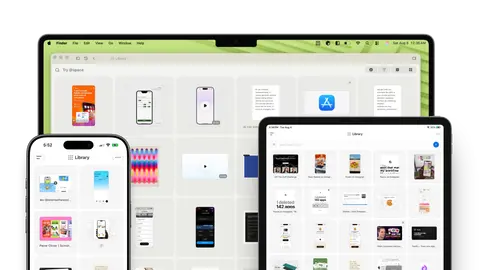
Resurf is now fully native, rewritten in Swift for Mac, iPhone and iPad, with private sync through your own iCloud.
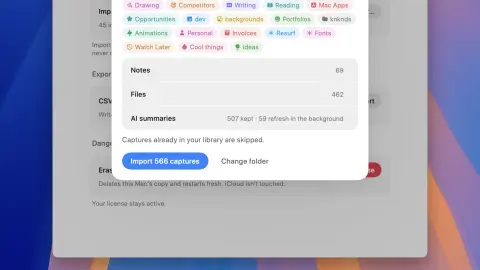
Resurf 2 reads your old vault and brings across every capture, space, tag, note and file. Here's the whole process, start to finish.
9 app store screenshot best practices to lift conversion: front-load value, write benefit captions, build a connected visual story, add social proof, localize, and A/B test.
Showing 14 of 14 stories
You're all caught up.
Get the top AI news and tools straight to your inbox every week.
Weekly · AI news
Join 15,000+ AI enthusiasts