

AutoEdit
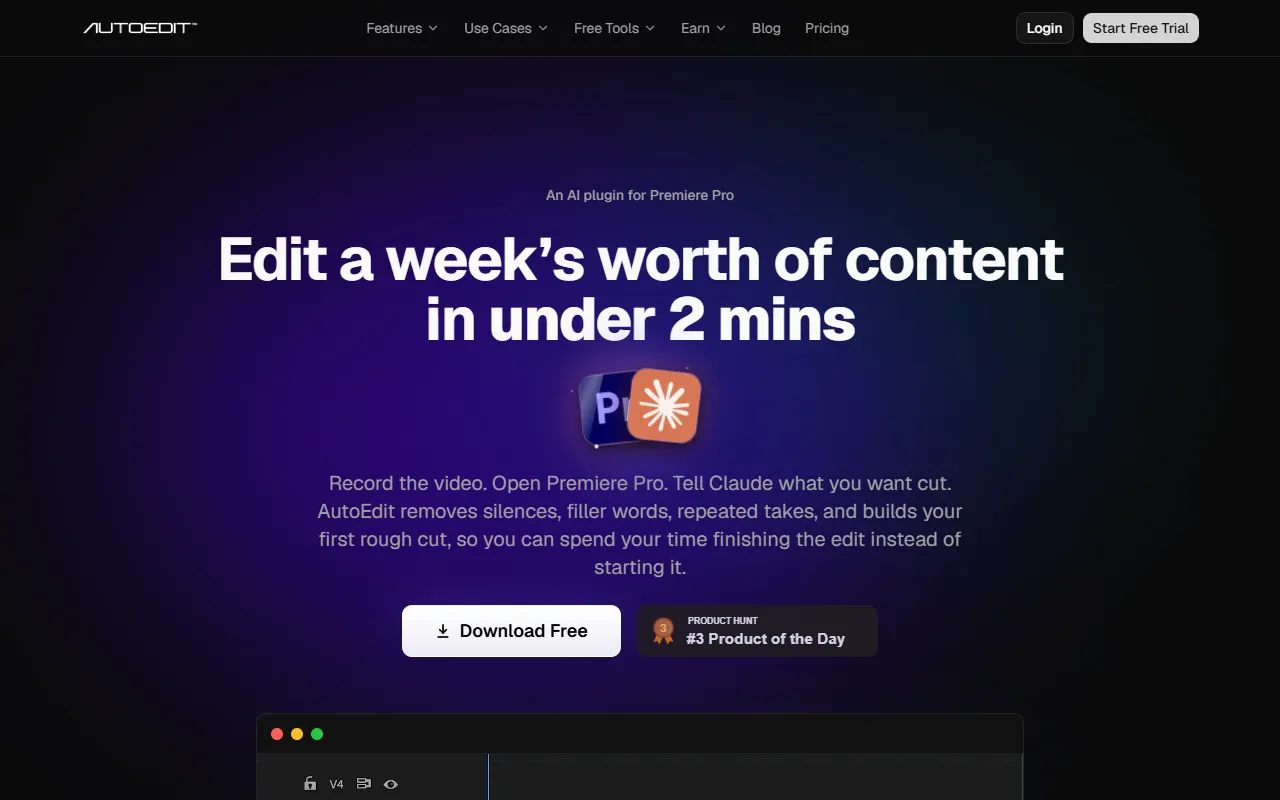
Automates video editing with AI to speed up the process.
What is AutoEdit?
AutoEdit is a Video Editing tool that automates video editing with AI to speed up the process. AutoEdit is freemium: it has a free plan plus paid upgrades. A free trial is available. It is available on Windows and macOS. It is aimed at content creators and video editors.
AutoEdit uses AI to automate video editing, helping users create rough cuts quickly. It integrates with Premiere Pro, allowing direct editing within the software. The tool is designed for content creators looking to save time on video production.
Built for content creators and video editors.
Key capabilities
Features
AI Understanding
Captions
Timeline Auto Build
Premiere Gal
Editing Empire
Mark Romero
Costin Modoianu
Rajs Creator Catalyst
JacobHandal
AsimNauwag
pellesjoberg
TechnoNikhilChannel
Use cases
- Create rough cuts automatically from raw footage
- Edit videos faster using AI-powered automation
- Integrate with Premiere Pro for direct editing
Popular use cases
Who it's for
Pros & cons
Pros
- Free plan available
- Integrates with Premiere Pro
Cons
No documented limitations yet.
Pricing
Freemium. Free trial available.
| Plan | Price |
|---|---|
| Free | Free |
| Lite | $9.99 |
| Creator | $29.99 |
| Pro | $79.99 |
| Business | $199 |
Security & compliance
- Data deletion
As stated on AutoEdit's website — not independently verified by AiByts.
FAQ
What is AutoEdit?
AutoEdit is a Video Editing tool that automates video editing with AI to speed up the process. AutoEdit uses AI to automate video editing, helping users create rough cuts quickly. It integrates with Premiere Pro, allowing direct editing within the software. The tool is designed for content creators looking to save time on video production.
Is AutoEdit free?
AutoEdit has a free plan; advanced features require a paid plan.
How much does AutoEdit cost?
AutoEdit offers 5 plans: Free (Free), Lite ($9.99), Creator ($29.99), Pro ($79.99) and Business ($199).
What platforms does AutoEdit support?
AutoEdit is available on Windows and macOS.
Who should use AutoEdit?
AutoEdit is built for content creators and video editors. Common uses: create rough cuts automatically from raw footage, edit videos faster using AI-powered automation and integrate with Premiere Pro for direct editing.
What are the best alternatives to AutoEdit?
Similar tools on AiByts include Gling, OpusClip, Timeliner.io, Wave.video and Wistia Remix.
AutoEdit news & updates
13 Best AutoEdit Alternatives and AI Video Editors Ranked for 2026
A practical tier list of Premiere Pro plugins, browser editors, clipping tools, and AI video workspaces—with direct links to every full comparison.
AutoEdit Blog12 min readAutoEdit vs FireCut: Which AI Video Editing Workflow Fits You?
A source-checked comparison of AutoEdit and FireCut for professional video editors, YouTube teams, and creators choosing an AI editing workflow in 2026.
AutoEdit Blog11 min readAutoEdit vs Submagic: Which AI Video Editing Workflow Fits You?
A source-checked comparison of AutoEdit and Submagic for professional video editors, YouTube teams, and creators choosing an AI editing workflow in 2026.
AutoEdit Blog11 min readAutoEdit vs OpusClip: Which AI Video Editing Workflow Fits You?
A source-checked comparison of AutoEdit and OpusClip for professional video editors, YouTube teams, and creators choosing an AI editing workflow in 2026.
AutoEdit Blog11 min readBest Premiere Pro plugins for production agency editors
A client-production tier list for agency editors working across interviews, multicam footage, branded social, event clips, ads, and fast revisions.
AutoEdit Blog7 min readBest Premiere Pro plugins for content marketers and in-house editors
A tier list for marketers turning one shoot into YouTube videos, paid ads, Reels, TikToks, explainers, interviews, and campaign cutdowns.
AutoEdit Blog7 min readAutoEdit vs Brevidy: Which AI Video Editing Workflow Fits You?
A source-checked comparison of AutoEdit and Brevidy for professional video editors, YouTube teams, and creators choosing an AI editing workflow in 2026.
AutoEdit Blog11 min readBest Premiere Pro plugins for freelance video editors
A client-work tier list for freelance editors cutting talking heads, music videos, ads, podcasts, multicamera interviews, and social deliverables.
AutoEdit Blog7 min readAutoEdit vs AutoPod: Which AI Video Editing Workflow Fits You?
A source-checked comparison of AutoEdit and AutoPod for professional video editors, YouTube teams, and creators choosing an AI editing workflow in 2026.
AutoEdit Blog11 min readAutoEdit vs AutoCut: Which AI Video Editing Workflow Fits You?
A source-checked comparison of AutoEdit and AutoCut for professional video editors, YouTube teams, and creators choosing an AI editing workflow in 2026.
AutoEdit Blog11 min readBest AI and paid Premiere Pro plugins for editors who cut YouTube videos
Paid Premiere Pro tools for editors handling talking heads, creator podcasts, multicamera interviews, reusable graphics, and high-energy YouTube cuts.
AutoEdit Blog6 min readBest free Premiere Pro plugins for video editors who work for YouTube creators
A useful free-plugin tier list for editors cutting long-form YouTube videos, Shorts, podcasts, interviews, tutorials, and creator content.
AutoEdit Blog6 min readAutoEdit vs Descript: Which AI Video Editing Workflow Fits You?
A source-checked comparison of AutoEdit and Descript for professional video editors, YouTube teams, and creators choosing an AI editing workflow in 2026.
AutoEdit Blog11 min readAutoEdit vs CapCut: Which AI Video Editing Workflow Fits You?
A source-checked comparison of AutoEdit and CapCut for professional video editors, YouTube teams, and creators choosing an AI editing workflow in 2026.
AutoEdit Blog11 min readAutoEdit vs VEED: Which AI Video Editing Workflow Fits You?
A source-checked comparison of AutoEdit and VEED for professional video editors, YouTube teams, and creators choosing an AI editing workflow in 2026.
AutoEdit Blog11 min readSilence Cutter vs Claude Rough Cuts in Premiere Pro
Compare pause detection with transcript reasoning so you use the right AutoEdit tool for the right talking-head problem.
AutoEdit Blog2 min readAutoEdit vs Captions: Which AI Video Editing Workflow Fits You?
A source-checked comparison of AutoEdit and Captions for professional video editors, YouTube teams, and creators choosing an AI editing workflow in 2026.
AutoEdit Blog11 min readAutoEdit Free Premiere Pro Tools Compared: Which One Should You Use?
A job-by-job comparison of Silence Cutter, Auto Reframe, reusable assets, image placement, and free motion graphics.
AutoEdit Blog3 min read
Details are compiled from AutoEdit's website and public sources, last verified Oct 5, 2026. Features and pricing change — confirm on the official site before you buy.
Try AutoEdit
Freemium
Comments
Sign in to join the discussion.