

Crowny!
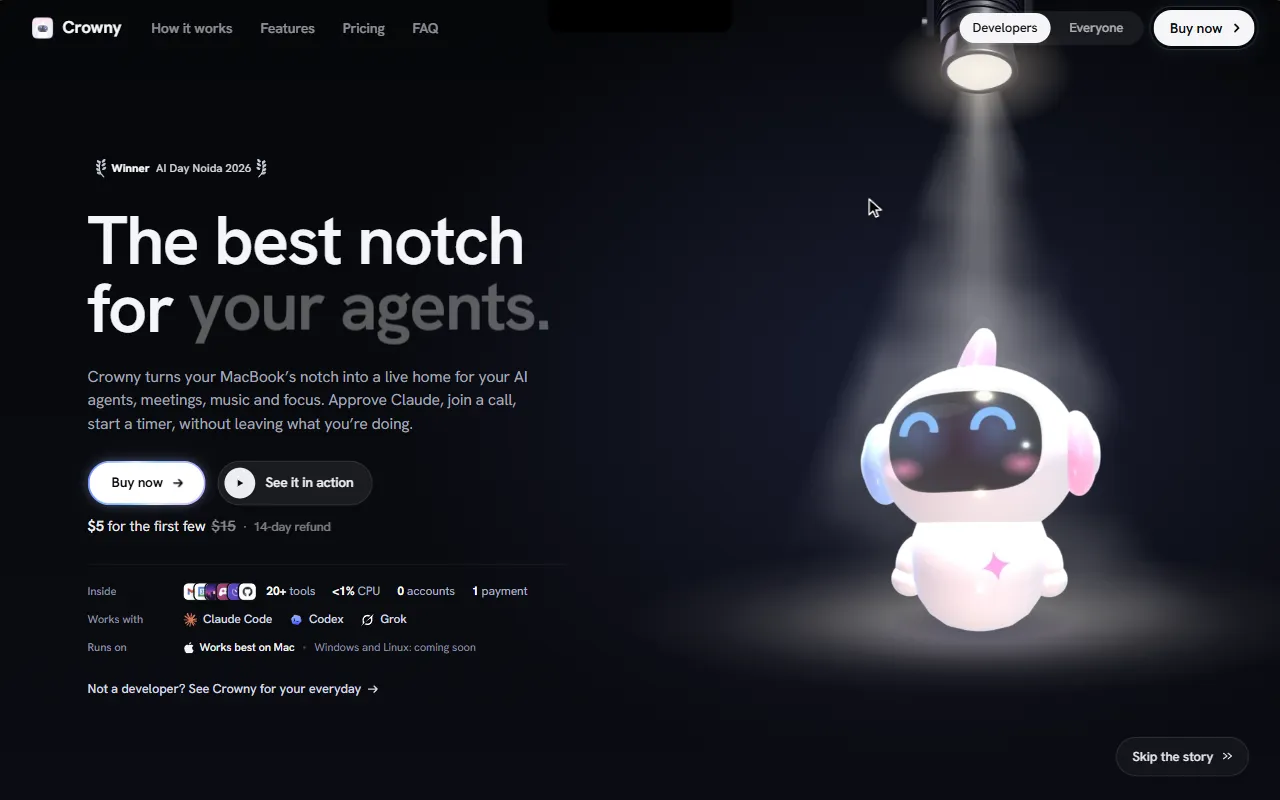
Notch app for MacBook with calendar, reminders, and AI agent integration
What is Crowny!?
Crowny! is a Calendar Management tool. Notch app for MacBook with calendar, reminders, and AI agent integration. It is available on macOS. It is aimed at developers and productivity users.
Crowny is a notch app for MacBook that consolidates music, timers, calendar, reminders, clipboard, files, games, and water reminders in one glance. It integrates with AI agents like Claude Code, Codex, and Grok, providing quick access and notifications.
Built for developers and productivity users.
Key capabilities
Features
Approve Claude Code
Approve Claude Code from the notch
Talk to It
Music and Games Side by Side
Every Agent, Live
Always On
Minimal
Use cases
- Approve Claude Code from the notch
- Access everything you copied
- Focus that holds your pings
- Music and games, side by side
- Your sites, one click
- Every agent, live
Who it's for
Pros & cons
Pros
- Public API available
Cons
No documented limitations yet.
Developer & API
Public API available
Security & compliance
- Data deletion
As stated on Crowny!'s website — not independently verified by AiByts.
FAQ
What is Crowny!?
Crowny! is a Calendar Management tool. Notch app for MacBook with calendar, reminders, and AI agent integration. Crowny is a notch app for MacBook that consolidates music, timers, calendar, reminders, clipboard, files, games, and water reminders in one glance. It integrates with AI agents like Claude Code, Codex, and Grok, providing quick access and notifications.
Does Crowny! have an API?
Yes, Crowny! offers a public API for building custom integrations.
What platforms does Crowny! support?
Crowny! is available on macOS.
Who should use Crowny!?
Crowny! is built for developers and productivity users. Common uses: approve Claude Code from the notch, access everything you copied, focus that holds your pings and music and games, side by side.
What does Crowny! integrate with?
Crowny! integrates with Gmail and Anthropic.
What are the best alternatives to Crowny!?
Similar tools on AiByts include Macuse, SuperIsland, Outlook Google Calendar Sync for Mac, Fide Island and Aurora Notch.
Crowny! news & updates
How to track Claude Code usage limits: the 5-hour window and the week
Claude plans limit usage in a rolling 5-hour window and over the week. How the two limits work, where to check them, and how to keep an eye on them without running a command.
Crowny! Blog5 min readThe best notch app for your MacBook: what to look for
Notch apps turn the black strip at the top of a MacBook into something useful. Here is what separates a good one from a gimmick, and how to choose.
Crowny! Blog6 min readHow to use the MacBook notch (and stop it hiding your menu bar)
What the notch is for, why menu bar icons vanish behind it, the settings that help, and how to make the space around the camera useful.
Crowny! Blog5 min readFocus on a Mac: a timer in the notch, and fewer interruptions
What research says about interruptions, why a visible focus timer helps, and practical ways to use the MacBook notch to guard deep work.
Crowny! Blog5 min readDynamic Island for Mac: what it is, and how to get one
Apple has not shipped a Dynamic Island for the Mac, but the notch is the right place for one. What the idea is, what it should do on a laptop, and how to get it today.
Crowny! Blog5 min readClaude Code notifications on a Mac, and approving prompts from the notch
Stop checking the terminal to see if Claude Code is waiting. How Claude Code hooks work, a notification you can set up in two minutes, and answering prompts from the notch.
Crowny! Blog5 min read
Details are compiled from Crowny!'s website and public sources, last verified Oct 6, 2026. Features and pricing change — confirm on the official site before you buy.
Try Crowny!
Visit the official website
Comments
Sign in to join the discussion.