

DodoForm
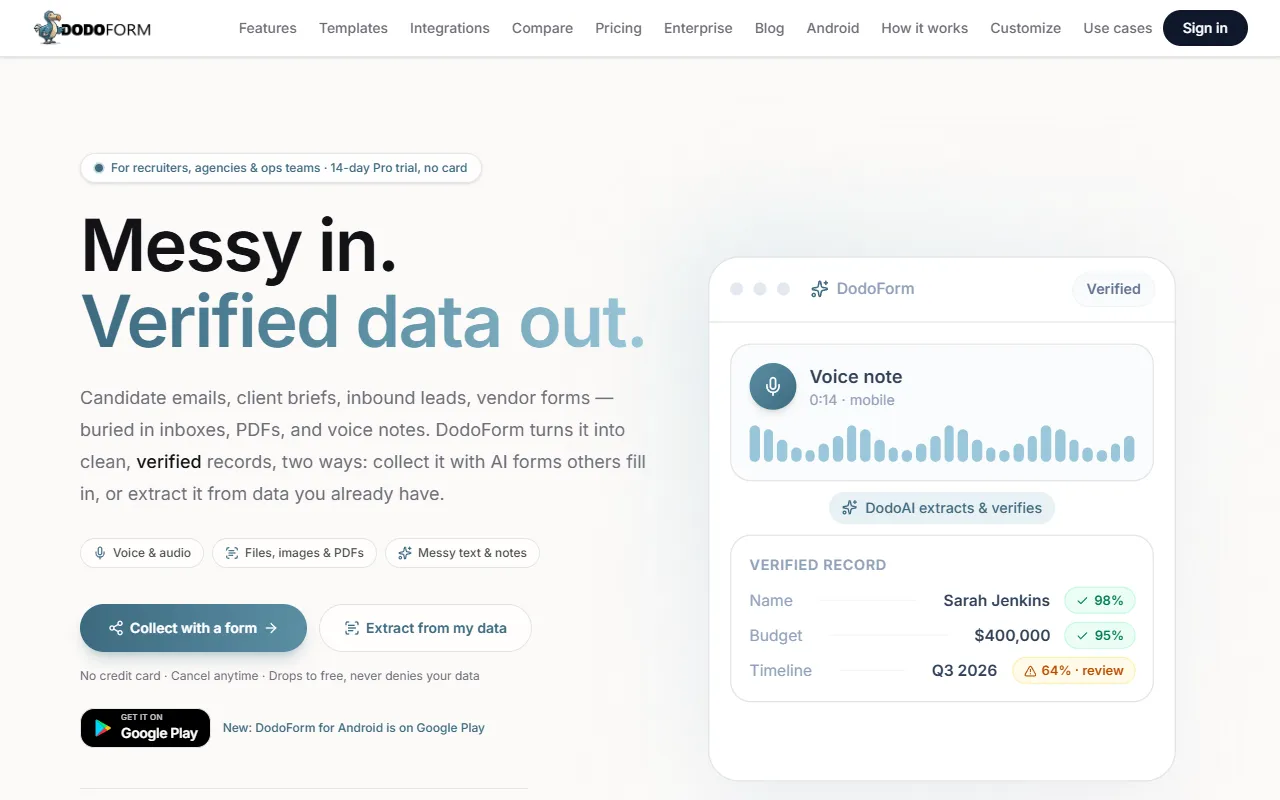
AI form builder that turns voice, photos, and messy notes into clean structured data.
What is DodoForm?
DodoForm is an AI Website Builder tool. AI form builder that turns voice, photos, and messy notes into clean structured data. DodoForm is freemium: it has a free plan plus paid upgrades. A free trial is available. It is available on Web App, Android and Google Play (Android). It is aimed at businesses, marketers and developers.
DodoForm is an AI form builder that converts voice, photos, and unstructured notes into structured data. It offers 200+ templates, unlimited form responses, and human review queues for data verification. The tool is accessible on the web and Android, with a 14-day Pro trial available.
Built for businesses, marketers, developers and data analysts.
Key capabilities
Features
AI Form Generation
Generates forms from plain-English prompts.
Voice and Photo Intake
Accepts voice, photo, and messy-text input for forms.
AI Data Extraction
Extracts unstructured input into structured records.
Unlimited Responses
AI Credits Metering
Tracks usage of AI credits, with large files/audio using multiple credits.
Conversational Analytics
Enables asking questions about form data in plain English.
ATS and Webhook Routing
Routes verified records via ATS and webhooks.
AI Summary
Lead Scoring
Scores leads and ranks hot leads.
Use cases
- Generate forms from plain-English prompts
- Collect voice, photo, and messy-text input for forms
- Extract unstructured input into structured records
- Support unlimited form responses
- Track AI credit usage for large files and audio
Who it's for
Pros & cons
Pros
- Free plan available
- Public API available
Cons
No documented limitations yet.
Pricing
Freemium. Free trial available.
| Plan | Price |
|---|---|
| Free | Free |
Integrations
- Slack
- Microsoft Teams
- Discord
- Zapier
- n8n
- Notion
- Google Drive
- Google Docs
- Google Sheets
- Google Calendar
- Google Analytics
- Zoom
- Outlook
- Excel
- OneDrive
- Dropbox
- GitHub
- GitLab
- Bitbucket
- Jira
- Confluence
- Asana
- Trello
- monday.com
- ClickUp
- Airtable
- HubSpot
- Salesforce
- Pipedrive
- Intercom
- Zendesk
- Freshdesk
- Shopify
- WooCommerce
- Webflow
- Wix
- Figma
- YouTube
- TikTok
Developer & API
Public REST API available
- Authentication
- API Key, Bearer Token
- Webhooks
- Supported
Security & compliance
- SOC 2
- SSO
- SAML
- Encryption
- Data deletion
As stated on DodoForm's website — not independently verified by AiByts.
FAQ
What is DodoForm?
DodoForm is an AI Website Builder tool. AI form builder that turns voice, photos, and messy notes into clean structured data. DodoForm is an AI form builder that converts voice, photos, and unstructured notes into structured data. It offers 200+ templates, unlimited form responses, and human review queues for data verification. The tool is accessible on the web and Android, with a 14-day Pro trial available.
Is DodoForm free?
DodoForm has a free plan; advanced features require a paid plan.
How much does DodoForm cost?
DodoForm offers one plan: Free (Free).
Does DodoForm have an API?
Yes, DodoForm offers a public REST API with webhooks for building custom integrations.
What platforms does DodoForm support?
DodoForm is available on Web App, Android and Google Play (Android).
Who should use DodoForm?
DodoForm is built for businesses, marketers, developers and data analysts. Common uses: generate forms from plain-English prompts, collect voice, photo, and messy-text input for forms, extract unstructured input into structured records and support unlimited form responses.
What does DodoForm integrate with?
DodoForm integrates with Slack, Microsoft Teams, Discord, Zapier, n8n, Notion, Google Drive and Google Docs, among 40 integrations.
What are the best alternatives to DodoForm?
Similar tools on AiByts include AI Detector Pro, Brilliant Directories, Evaligo, Softr AI and Denovo.
DodoForm news & updates
DodoForm Is Now on Google Play: The AI Form Builder for Android
DodoForm for Android is live on Google Play. Build AI forms, extract verified data from emails, PDFs, images and voice notes, and approve your review queue from your phone. Same account as the web.
DodoForm Blog3 min readAI Form Builder App for Android: Build Forms and Extract Data From Your Phone
How to build forms, capture data from PDFs, photos and voice notes, and verify AI-extracted fields on Android with DodoForm. A practical guide for recruiters, agencies and ops teams on the move.
DodoForm Blog3 min readIntroducing DodoForm v2: Messy In, Verified Data Out
DodoForm grew up from an AI form builder into an AI-native intake platform. Here's everything that shipped: the Extractor, a verified-data trust loop, CRM/ATS routing, AI credits, and a redesigned dashboard.
DodoForm Blog3 min readInside the New DodoForm Dashboard: From Form List to Command Center
We rebuilt the DodoForm dashboard around the Capture → Structure → Understand → Act pipeline. Here's a tour of the new Overview page, pipeline navigation, and the three ingestion modes.
DodoForm Blog4 min readMeet the Extractor: Turn Your Own Messy Files Into Structured Records
The Extractor is DodoForm's second way in. Paste emails, drop resumes, upload receipts or voice notes — and pull verified, structured data onto your schema with per-field confidence and a review queue.
DodoForm Blog3 min readVerified, Not Hallucinated: How DodoForm Grounds Every AI Field
AI that invents data is worse than no AI. Here's the trust loop DodoForm uses — snippet grounding, confidence gating, and a human review queue — so you can trust what lands in your CRM.
DodoForm Blog3 min read
DodoForm Joins NVIDIA Inception to Accelerate AI-Native Form Intelligence
DodoForm has been accepted into the NVIDIA Inception Program, gaining access to cutting-edge GPU infrastructure, AI tooling, and technical expertise to push the boundaries of voice-to-form, image extraction, and conversational BI.
DodoForm Blog4 min readAI Form Builder for Customer Support: Ticket Triage & Automation
Use AI-powered forms to collect, classify, and route support tickets automatically. Extract issue details from screenshots and route urgent tickets to the right team.
DodoForm Blog4 min readWorkflow Automation with Forms: Webhooks, Logic & Integrations
Turn form submissions into automated workflows. Use conditional logic, webhooks, and integrations to route data to your CRM, Slack, and analytics tools without writing code.
DodoForm Blog4 min readBest Form Builder with Stripe Payments: What to Look For in 2026
Not every form builder handles payments well. Learn what features matter for collecting Stripe payments inside forms, and which tools do it best.
DodoForm Blog3 min readForm Builder with SSO and Team Seats: What Enterprise Teams Need
Enterprise form builders need more than fields and a submit button. Learn why SSO, team workspaces, and audit logs matter — and which tools offer them.
DodoForm Blog3 min readDodoForm vs Fillout: AI-Native vs Integration-Heavy in 2026
Fillout has 30+ native integrations and a flexible low-code builder. DodoForm has voice input, photo extraction, and conversational BI. Which fits your workflow?
DodoForm Blog3 min readHow to Collect Payments Inside Forms: The Complete Guide
Collect one-time and recurring payments directly inside your forms. No checkout page, no redirects. Learn how to set up PayPal payments in DodoForm and best practices for pricing forms.
DodoForm Blog3 min readAI Form Builder Features: The Complete Checklist for 2026
The 12 features every AI form builder should have — from voice input to conversational BI. Use this checklist to evaluate any AI form builder platform.
DodoForm Blog3 min readTally Form Builder Review: Free vs Paid Features in 2026
Tally is a popular free form builder with Notion-like editing. We compare Tally's free and paid features against DodoForm's AI-native approach to help you choose the right tool.
DodoForm Blog3 min readDodoForm vs Typeform: Which Form Builder Wins in 2026?
Honest comparison of DodoForm and Typeform. Typeform wins on design. DodoForm wins on data capture from voice, photos, and unstructured text. Pick what your audience needs.
DodoForm Blog4 min readHow Partial Submissions Recover 30% of Lost Leads
Most form builders lose all data when users abandon. DodoForm auto-saves partial submissions so you capture leads even if they never hit submit. Here's how it works.
DodoForm Blog3 min readVoice Form Input: A Faster Way to Complete Forms on Mobile
Learn how voice-to-form input maps a spoken response into structured fields while keeping the respondent in control of review and submission.
DodoForm Blog2 min read
Details are compiled from DodoForm's website and public sources, last verified Oct 5, 2026. Features and pricing change — confirm on the official site before you buy.
Try DodoForm
Freemium
Tags
- AI Form Builder
- Voice to Text
- Photo Intake
- Data Structuring
- Lead Scoring
- Conversational Analytics
Comments
Sign in to join the discussion.