

Excelmatic
Analyze Excel, CSV, PDF, and image tables with AI to find trends, create charts, dashboards, and reports.
- Paid
- Web
What is Excelmatic?
Excelmatic is a Data Analysis tool. Analyze Excel, CSV, PDF, and image tables with AI to find trends, create charts, dashboards, and reports. Excelmatic is a paid tool. It is available on Web App. It is aimed at finance and accounting professionals, management teams and sales and operations teams.
Analyzes messy Excel, CSV, PDF, and image tables with AI. Identifies trends, explains changes, and generates charts, dashboards, and reports for review. Designed for business data processing and financial analysis.
Built for finance and accounting professionals, management teams and sales and operations teams.
Key capabilities
Features
Extract Table Data from Images & PDFs
Multi-Table Merge
Finance & Accounting
Monthly Cash Flow
Budget vs. Actual
Management Reporting
Sales and Operations
Inventory & Stock Movement
Use cases
- Analyze messy Excel, CSV, PDF, and image tables with AI to find trends and create charts, dashboards, and reports
- Extract table data from images and PDFs using AI for analysis
- Merge multiple tables to streamline data processing
- Upload existing data files for AI-driven analysis and reporting
- Ask questions about financial data to gain insights
Popular use cases
Who it's for
- Finance and Accounting Professionals
- Management Teams
- Sales and Operations Teams
Pros & cons
Pros
- Offers AI-driven data analysis and reporting capabilities
- Supports multiple data sources including Excel, CSV, PDF, and image tables
- Provides features for extracting table data from images and PDFs
- Enables multi-table merging for streamlined data processing
- Allows users to upload existing data files for analysis
Cons
- No free plan available; only paid plans are offered
- Limited storage space in the Essential plan (1GB)
- Limited image-to-Excel conversions in the Essential plan (20 per month)
Pricing
Paid.
| Plan | Price |
|---|---|
| Essential | $8 |
| ProfessionalPopular | $24 |
| Premium | $49 |
Integrations
Security & compliance
- SSO
- Encryption
As stated on Excelmatic's website — not independently verified by AiByts.
FAQ
What is Excelmatic?
Excelmatic is a Data Analysis tool. Analyze Excel, CSV, PDF, and image tables with AI to find trends, create charts, dashboards, and reports. Analyzes messy Excel, CSV, PDF, and image tables with AI. Identifies trends, explains changes, and generates charts, dashboards, and reports for review. Designed for business data processing and financial analysis.
Is Excelmatic free?
No, Excelmatic is a paid tool.
How much does Excelmatic cost?
Excelmatic offers 3 plans: Essential ($8), Professional ($24) and Premium ($49).
What platforms does Excelmatic support?
Excelmatic is available on Web App.
Who should use Excelmatic?
Excelmatic is built for finance and accounting professionals, management teams and sales and operations teams. Common uses: analyze messy Excel, CSV, PDF, and image tables with AI to find trends and create charts, dashboards, and reports, extract table data from images and PDFs using AI for analysis, merge multiple tables to streamline data processing and upload existing data files for AI-driven analysis and reporting.
What does Excelmatic integrate with?
Excelmatic integrates with Google Sheets and Google Analytics.
What are the best alternatives to Excelmatic?
Similar tools on AiByts include AI for Database, Bricks, MinusX, Artificial Analysis and BenchGecko.
Excelmatic news & updates
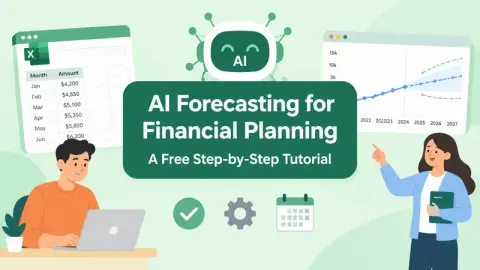
KI-Prognosen für die Finanzplanung: Ein kostenloses Schritt-für-Schritt-Tutorial
Erstellen Sie mit kopierbaren Prompts und einem kostenlosen Tool eine 12-Monats-Umsatz- und Liquiditätsprognose aus einer Tabelle, die Sie bereits haben. Kein Modellierungshintergrund nötig.
Excelmatic Blog11 min readPrévisions IA pour la planification financière : tutoriel gratuit étape par étape
Créez une prévision de revenus et de trésorerie sur 12 mois à partir d’un tableur que vous avez déjà, avec des prompts copiables et un outil gratuit. Aucune expérience en modélisation requise.
Excelmatic Blog12 min read財務規劃的 AI 預測:免費逐步教學
能讀取檔案的工具。 本教學使用 RowSpeak 財務預測,因為免費方案涵蓋整個練習,但這些提示詞也適用於任何能讀取試算表的 AI 工具。如果你正在工具之間做選擇,我們的 AI 財務分析 指南比較了各類工具。
Excelmatic Blog9 min readAI予測による財務計画:無料のステップバイステップチュートリアル
すでにあるスプレッドシートから、コピー可能なプロンプトと無料ツールを使って、12か月の収益とキャッシュフロー予測を作成。モデリングの経験は不要です。
Excelmatic Blog13 min readPrevisión con IA para la planificación financiera: un tutorial gratuito paso a paso
Construye una previsión de ingresos y flujo de caja a 12 meses a partir de una hoja de cálculo que ya tengas, usando prompts copiables y una herramienta gratuita. No se necesitan conocimientos de modelado.
Excelmatic Blog12 min read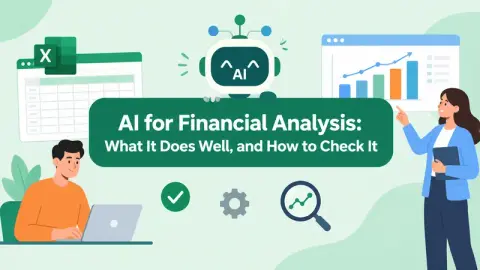
L’IA pour l’analyse financière : ce qu’elle fait bien et comment la vérifier
Vous n’avez pas besoin d’être un spécialiste des données pour utiliser l’IA en analyse financière. Il faut savoir quelles tâches elle gère, comment vérifier les chiffres et où s’arrêter.
Excelmatic Blog14 min readPrevisão com IA para Planejamento Financeiro: Um Tutorial Passo a Passo Gratuito
Monte uma previsão de receita e fluxo de caixa de 12 meses a partir de uma planilha que você já tem, usando prompts copiáveis e uma ferramenta gratuita. Não precisa de experiência em modelagem.
Excelmatic Blog12 min readIA para el análisis financiero: qué hace bien y cómo verificarla
No necesitas ser especialista en datos para usar la IA en el análisis financiero. Necesitas saber qué tareas maneja, cómo verificar los números y dónde detenerte.
Excelmatic Blog14 min read金融分析のためのAI:その長所と検証方法
AIを財務分析に使うのにデータ専門家である必要はありません。どの業務を担えるか、数値をどう確認するか、どこで止めるべきかを知っておく必要があります。
Excelmatic Blog15 min readAI 예측을 활용한 재무 계획: 무료 단계별 튜토리얼
이미 보유한 스프레드시트로 12개월 매출 및 현금 예측을 구축하세요. 복사 가능한 프롬프트와 무료 도구 사용. 모델링 배경지식은 필요 없습니다.
Excelmatic Blog10 min readKI für Finanzanalyse: Was sie gut kann und wie man sie überprüft
Sie müssen kein Datenexperte sein, um KI für die Finanzanalyse zu nutzen. Sie müssen wissen, welche Aufgaben sie übernimmt, wie Sie die Zahlen prüfen und wo Sie aufhören sollten.
Excelmatic Blog13 min readAI 財務分析:它擅長什麼,以及如何檢查它
現在是這個月的第三個工作日。你有一份來自會計系統的預算與實際支出匯出檔,其中一半的部門被人重新命名了,還有一份上個月的供應商發票 PDF,以及你主管傳來的一則訊息,全文是:「有什麼變化?」
Excelmatic Blog10 min readIA para Análise Financeira: O que Ela Faz Bem e Como Verificá-la
Você não precisa ser especialista em dados para usar IA na análise financeira. Precisa saber quais tarefas ela executa, como verificar os números e onde parar.
Excelmatic Blog14 min read재무 분석을 위한 AI: 강점과 검증 방법
재무 분석에 AI를 활용하는 데 데이터 전문가일 필요는 없습니다. AI가 어떤 작업을 처리하는지, 수치를 어떻게 검증하는지, 어디서 멈춰야 하는지만 알면 됩니다.
Excelmatic Blog12 min readAI for Financial Analysis: What It Does Well, and How to Check It
You do not need to be a data specialist to use AI for financial analysis. You need to know which tasks it handles, how to check the numbers, and where to stop.
Excelmatic Blog13 min readAI Forecasting for Financial Planning: A Free Step-by-Step Tutorial
Build a 12-month revenue and cash forecast from a spreadsheet you already have, using copyable prompts and a free tool. No modelling background needed.
Excelmatic Blog11 min read
AI 생성 Excel 보고서를 공유하기 전에 감사하는 방법
AI는 숫자가 신뢰할 만해지기 전에 Excel 보고서를 완성된 것처럼 보이게 할 수 있습니다. 이 검토 워크플로를 사용해 입력을 추적하고, KPI를 재계산하며, 사실과 추측을 구분하세요.
Excelmatic Blog10 min read共有する前にAI生成のExcelレポートを監査する方法
AIは、数値が信頼できる前にExcelレポートを完成したように見せかけることができます。このレビューワークフローを使って、入力を追跡し、KPIを再計算し、事実と推測を区別しましょう。
Excelmatic Blog13 min read
Details are compiled from Excelmatic's website and public sources, last verified Oct 3, 2026. Features and pricing change — confirm on the official site before you buy.
Try Excelmatic
Paid
Tags
- AI Data Analytics
- Data Visualization
- Dashboard Generation
Comments
Sign in to join the discussion.