

TubeBuddy
Boost YouTube growth with SEO, keyword, and thumbnail tools.
- Freemium· from $3/month
What is TubeBuddy?
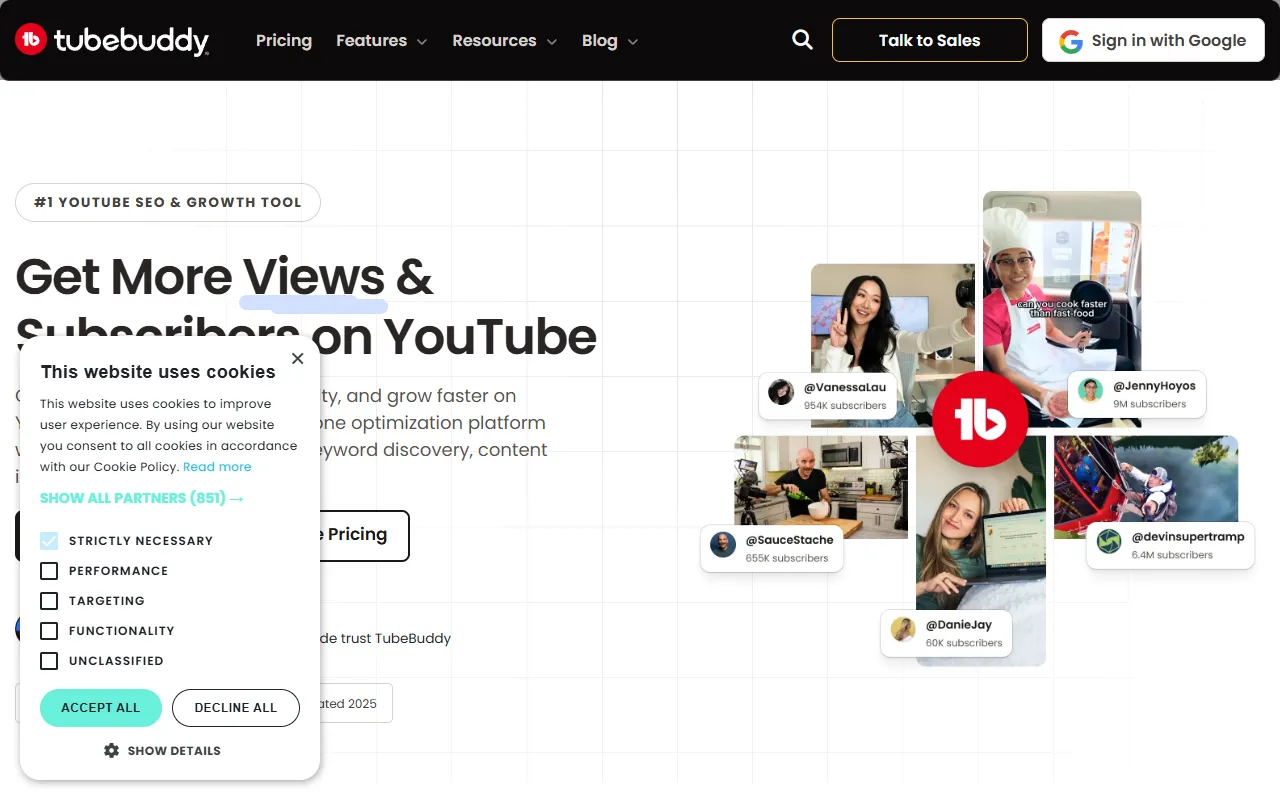
TubeBuddy is a SEO tool. Boost YouTube growth with SEO, keyword, and thumbnail tools. TubeBuddy is freemium: it has a free plan, and paid plans start at $3/month. It is available on iOS, Android, Chrome, App Store (iOS) and Google Play (Android). It is aimed at youtube creators, content marketers and digital marketers.
TubeBuddy helps creators grow their YouTube channels through SEO, keyword research, and thumbnail optimization. It offers data insights and tools for channel and video management. The platform supports multiple devices and browser extensions.
Built for youtube creators, content marketers, digital marketers and social media managers.
Features
AI Sidekick
AI tool that repurposes engaging video content into YouTube Shorts.
SEO and Ranking
Channel Optimization
Video + Thumbnail
Community Management
Data and Analytics
Bulk Edit Tools
Use cases
- Optimize video content for better search rankings
- Repurpose existing videos into YouTube Shorts
- Enhance channel performance with data insights
- Manage and engage with the YouTube community
- Edit multiple videos efficiently using bulk tools
Popular use cases
Pros & cons
Pros
- Free plan available
- Supports multiple platforms including iOS, Android, and Chrome
- Offers bulk editing capabilities
Cons
No documented limitations yet.
Pricing
Freemium — paid plans start at $3/month.
| Plan | Price |
|---|---|
| Pro | $3 / month |
Security & compliance
- Encryption
- Data deletion
As stated on TubeBuddy's website — not independently verified by AiByts.
FAQ
What is TubeBuddy?
TubeBuddy is a SEO tool. Boost YouTube growth with SEO, keyword, and thumbnail tools. TubeBuddy helps creators grow their YouTube channels through SEO, keyword research, and thumbnail optimization. It offers data insights and tools for channel and video management. The platform supports multiple devices and browser extensions.
Is TubeBuddy free?
TubeBuddy has a free plan; advanced features require a paid plan.
How much does TubeBuddy cost?
TubeBuddy offers one plan: Pro ($3 / month).
What platforms does TubeBuddy support?
TubeBuddy is available on iOS, Android, Chrome, App Store (iOS) and Google Play (Android).
Who should use TubeBuddy?
TubeBuddy is built for youtube creators, content marketers, digital marketers and social media managers. Common uses: optimize video content for better search rankings, repurpose existing videos into YouTube Shorts, enhance channel performance with data insights and manage and engage with the YouTube community.
What are the best alternatives to TubeBuddy?
Similar tools on AiByts include AI Overview Optimizer, Treg, SEOPress, Link Whisper AI and Super.
TubeBuddy news & updates
What should I post on YouTube? YouTube content pillars end the debate
tl;dr YouTube content pillars are the recurring subjects your channel returns to. They’re the answer to the question every new viewer asks: what is this channel about? Pillars are the foundation on which we can build a YouTube channel.
TubeBuddy Blog13 min read
Best new YouTube features: Test video edits, get draft feedback, and tailor thumbnails
YouTube made over 3,000 updates and improvements to its platform in the last year. From the stage at Made on YouTube 2026, CEO Neil Mohan and the YouTube team shared a bunch more they’re working on. We want to talk about three game-changers.
TubeBuddy Blog6 min read
How to turn a YouTube playlist into a Show
tl;dr – Turning YouTube playlists into a Show You’ve already made the videos. You’ve even put them in a playlist. But when someone finishes one video, how do you get them to go onto the next? YouTube’s Shows feature gives creators another way to connect those videos.
TubeBuddy Blog5 min read
YouTube creator news September 2026 — all about automation
“Doing the work” on YouTube works. Soon, YouTube Studio will do a little more of that work for you. On September 23, at its annual Made on YouTube event in New York, YouTube announced that Ask Studio will start watching your draft videos and come back with advice on how to improve pacing.
TubeBuddy Blog14 min read
How to get more views from YouTube videos you already published
TL;DR: How many views (and how much money) might be hiding out in your YouTube back catalog? You’ve learned a lot about how to be successful on YouTube since you first uploaded those videos. How do you get more views out of old videos? You apply what you’ve learned to breathe new life into them.
TubeBuddy Blog11 min read
Outlier YouTube videos and how to find them
tl;dr Wishing for videos to go viral is not a YouTube success strategy. Looking for outlier YouTube videos on your channel and across your space so you can learn what’s working and ride the wave of interest, is. What is a YouTube outlier video?
TubeBuddy Blog7 min read
How to add custom thumbnails to YouTube Shorts
tl;dr YouTube Shorts custom thumbnails are finally here, and it’s a bigger update than it might initially sound. For years, creators who wanted a deliberate, branded thumbnail for a Short had to use an awkward workaround: add the thumbnail as a single frame at the end of the video, select it in…
TubeBuddy Blog7 min read
How to use YouTube’s AI thumbnail generator in Ask Studio
TL;DR: A great thumbnail is the difference between a click and a scroll. You can pour a weekend into the perfect video and still lose the impression war in the split second someone spends deciding whether your thumbnail is worth their time.
TubeBuddy Blog11 min read
YouTube for introverts: how to get comfortable on camera
Do you want to start a YouTube channel but worry about being on camera? Read our handy tips for success as an introvert. The post YouTube for introverts: how to get comfortable on camera appeared first on TubeBuddy.
TubeBuddy Blog13 min read
Stop making these YouTube mistakes if you want to grow your channel
If creating has started to feel like an uphill battle and you’re not seeing the rewards, we’re willing to bet you’re making at least a couple of these common YouTube mistakes. Until you’ve fixed these fundamentals, uploading more won’t help.
TubeBuddy Blog22 min read
YouTube creator news August 2026 — a higher bar, a looser view, and a bidding war
YouTube is doubling the long form watch time and short form views required to get paid. As YouTube creator news goes, it doesn’t get much bigger than that.
TubeBuddy Blog13 min read
YouTube sponsorship scams: how to spot a fake brand deal before it costs you your channel
YouTube sponsorship scams are a long-running way creator channels get hijacked. Learn the red flags that work, and why 2FA alone will not save your channel. The post YouTube sponsorship scams: how to spot a fake brand deal before it costs you your channel appeared first on TubeBuddy.
TubeBuddy Blog13 min read
Details are compiled from TubeBuddy's website and public sources, last verified Oct 3, 2026. Features and pricing change — confirm on the official site before you buy.
Try TubeBuddy
Freemium · from $3/month
Tags
- YouTube SEO
- Thumbnail Optimization
- Data Insights
- Channel Growth
Comments
Sign in to join the discussion.