Know a great AI tool or AI news source? Submit it to AiByts

Model Context Protocol

13 stories

Stories

  • Your AI can't approve its own work

    This week in Respira: the controls that decide what an AI may do now answer only to the site owner, structure changes are one restore away, and Respira runs on top of the official WordPress MCP Adapter, which has no drafts, approvals or undo of its own.

    Respira for WordPress Blog3 min read

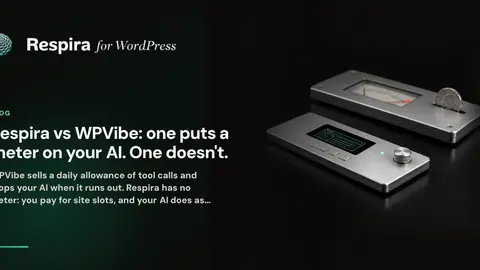
  • Respira vs WPVibe: one puts a meter on your AI. One doesn't.

    WPVibe sells a daily allowance of tool calls and stops your AI when it runs out. Respira has no meter: you pay for site slots, and your AI does as much as the work needs. Compared on price, live edits, privacy, features and the legal small print, checked on 3 October 2026.

    Respira for WordPress Blog28 min read
  • Respira for WordPress welcomes Grok

    Grok can now read and edit your WordPress site through Respira for WordPress. On grok.com your site goes in as a custom connector with a sign-in, in Grok Build it is one command, and Respira AER runs on an xAI key. Grok Bot is submitted and waits for review.

    Respira for WordPress Blog4 min read
  • Managing WordPress through Hermes Agent

    How to connect a live WordPress site to Hermes Agent and work on it from the terminal or the desktop app: what goes in ~/.hermes/config.yaml, browser sign-in per site or one server for the whole account, and what the agent can read and change once it is connected.

    Respira for WordPress Blog8 min read
  • Respira now supports Hermes Agent

    Two customers connected Hermes Agent to their WordPress sites before support existed. It worked, so it is official now: Hermes on the setup page, a one-click install, browser sign-in per site, one config for the whole fleet, and full attribution in the activity log.

    Respira for WordPress Blog4 min read
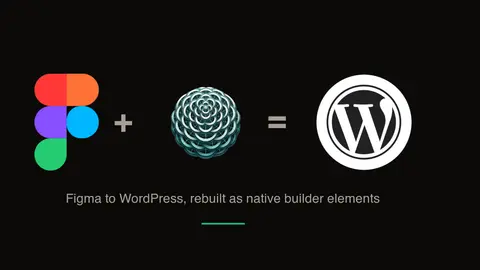
  • How an AI agent turns a Figma design into an editable WordPress page

    The working path from a Figma frame to a real WordPress page: the agent reads the node tree through Figma’s own MCP server, uploads the frame’s images to your media library, and rebuilds the layout in your builder’s native format. With three conversions you can open and inspect.

    Respira for WordPress Blog4 min read
  • Your AI forgets your site every session. Resonance remembers.

    Every Respira site now carries a persistent memory for AI agents: conventions the agent honors in every session, and rules the plugin enforces at the write path. It also reads the Knowledge experiment WordPress core is building toward, on real production sites today.

    Respira for WordPress Blog4 min read
  • MCP 2026-07-28 is final. What changes for WordPress and Respira?

    The stable specification removes protocol sessions, adds server discovery, hardens authorization, and formalizes extensions. Respira 8.1 implements it with a tested legacy path, while Webflow MCP 2.0 shows why production governance matters.

    Respira for WordPress Blog6 min read
  • How to edit your WordPress site from Slack with Viktor

    Add your WordPress site or WooCommerce store to Viktor as a custom MCP server and edit it by typing a message in Slack or Microsoft Teams. Step by step, with the exact link to paste, the access levels worth thinking about, and the shared-channel setup for agencies working with clients.

    Respira for WordPress Blog6 min read
  • Best WordPress MCP servers in 2026: a practical comparison

    A WordPress MCP server lets an AI assistant read and edit your live site. What actually separates the options in 2026: builder coverage, safety and recovery, connection paths, and hosting model.

    Respira for WordPress Blog4 min read

Showing 13 of 13 stories

You're all caught up.

AiByts Weekly Brief

Get the top AI news and tools straight to your inbox every week.

Weekly · AI news from Respira for WordPress Blog

Join 15,000+ AI enthusiasts