

ChatCut
AI video editor that uses prompts to automate editing tasks
- Freemium· from $42/month
- Web
- API Available


What is ChatCut?
ChatCut is a Video Editing tool. AI video editor that uses prompts to automate editing tasks. ChatCut is freemium: it has a free plan, and paid plans start at $42/month. It is available on macOS and Web App. It is aimed at content creators, marketers and video editors.
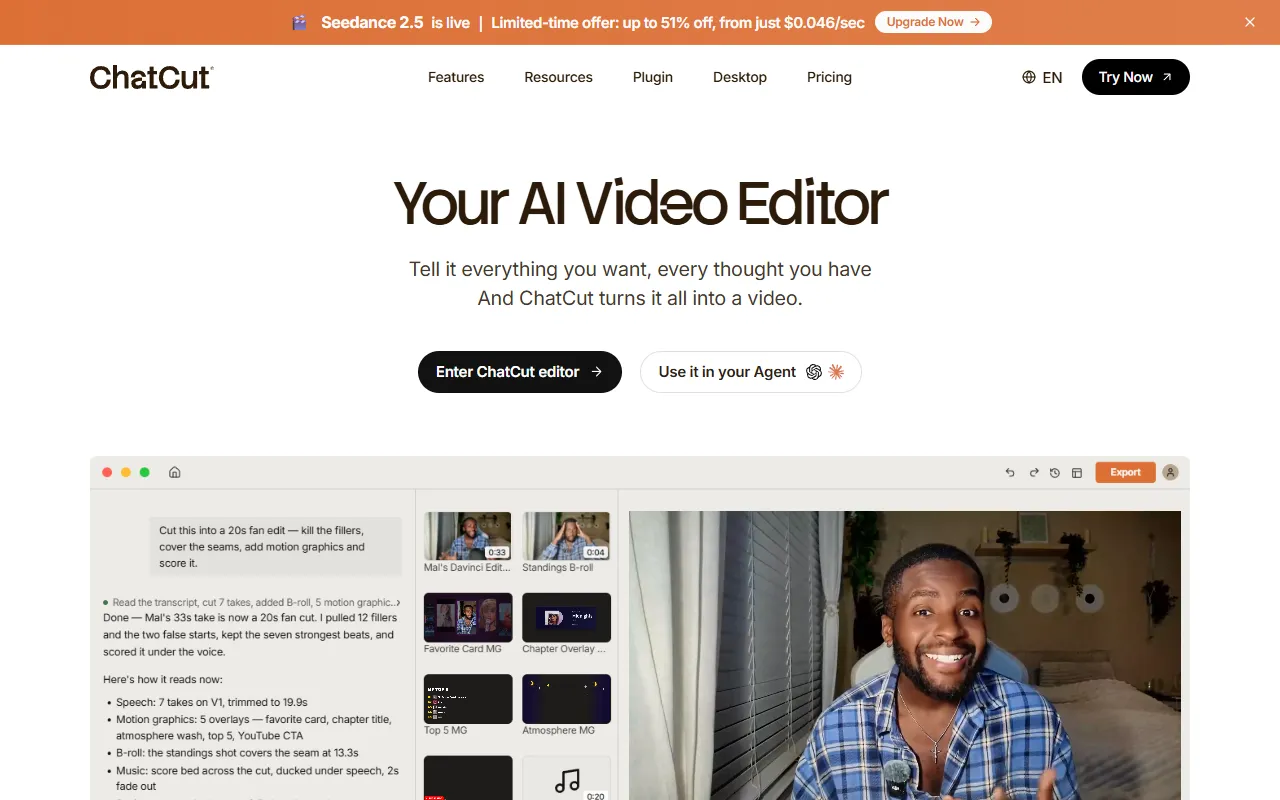
ChatCut is a web-based AI video editor that allows users to edit videos through natural language prompts. It can handle tasks like adding motion graphics, writing scripts, finding background music, and generating AI videos and images. The tool understands user footage, can browse websites, and creates brand-matching videos.
Built for content creators, marketers and video editors.
Features
Clean Up Takes
Removes unwanted parts of a video without touching the timeline
Find Best Moments
Identifies key moments and creates a publish-ready video quickly
Edit Like an Expert
AI Motion Graphics
Generates motion graphics from text prompts
Text-Based Editing
Allows editing of talking head content using text commands
Auto AI Captions
Adds automatic captions in 100+ languages
AI Image Generation
Creates images within the editing process
AI Video Generation
Generates video content for scenes that couldn't be filmed
AI Music Generator
Produces royalty-free music for videos
Use cases
- Edit talking head videos using natural language prompts
- Generate AI motion graphics from text descriptions
- Add auto captions to videos in multiple languages
Popular use cases
Who it's for
Pros & cons
Pros
- Public API available
- Free plan available
- Supports multiple video editing features
- Offers AI-generated motion graphics and images
Cons
No documented limitations yet.
Pricing
Freemium — paid plans start at $42/month.
| Plan | Price |
|---|---|
| $0 | Free |
| $42 | $42 / month |
| $49 | $49 / month |
| $98800 credits / month credits | $98 / month |
AI models
- Kling 3.0
- Seedance 2.5
- Nano Banana
Developer & API
Public API available
Security & compliance
- Data deletion
As stated on ChatCut's website — not independently verified by AiByts.
FAQ
What is ChatCut?
ChatCut is a Video Editing tool. AI video editor that uses prompts to automate editing tasks. ChatCut is a web-based AI video editor that allows users to edit videos through natural language prompts. It can handle tasks like adding motion graphics, writing scripts, finding background music, and generating AI videos and images. The tool understands user footage, can browse websites, and creates brand-matching videos.
Is ChatCut free?
ChatCut has a free plan; advanced features require a paid plan.
How much does ChatCut cost?
ChatCut offers 4 plans: $0 (Free), $42 ($42 / month), $49 ($49 / month) and $98 ($98 / month).
Does ChatCut have an API?
Yes, ChatCut offers a public API for building custom integrations.
What platforms does ChatCut support?
ChatCut is available on macOS and Web App.
Who should use ChatCut?
ChatCut is built for content creators, marketers and video editors. Common uses: edit talking head videos using natural language prompts, generate AI motion graphics from text descriptions and add auto captions to videos in multiple languages.
What are the best alternatives to ChatCut?
Similar tools on AiByts include InVideo, Wisecut, MakeUGC, Motionvid.ai and Jupitrr.
ChatCut news & updates

Can Claude Edit Videos? We Tested It on Real Footage
Can Claude edit videos? Not in chat alone. See what Claude Opus 5.5 in Claude Code cut, missed, and fixed on a 41-second raw clip with ChatCut.
ChatCut Blog15 min read
Kling 4.0 Review: 30-Second Clips, Reference Videos and 8 Real Tests
We ran 8 Kling 4.0 tests in ChatCut: a 30s one-take, reference videos, two-speaker dialogue, 21:9, and 4.0 Flash vs 3.0, with every video and credit cost.
ChatCut Blog28 min read
Claude Motion Graphics: 16 Prompts and the Animations They Made
See 16 tested Claude motion graphics prompts and the MP4s they made. Compare Claude Motion, Remotion, and ChatCut, plus how to build your own on any plan.
ChatCut Blog19 min read
Seedance 2.5 vs Kling 4.0: Which Is Better? We Ran 8 Tests
We ran the same 8 prompts through Seedance 2.5 and Kling 4.0 in ChatCut: motion, liquid, dialogue, camera, multi-shot, product, animation and a crowd. Scores, videos and the cost of every clip.
ChatCut Blog14 min read
22 Best Seedance 2.5 Prompts (Copy-Paste, With Videos)
22 Seedance 2.5 prompts for product ads, dialogue, action, animation, UGC, food and transformations, each with the video it made in ChatCut, what to check and what it cost.
ChatCut Blog21 min read
How to Use Seedance 2.5: 8 Steps From First Clip to 1080p
Use Seedance step by step: text, a first frame, reference images, timed shots, dialogue, a 480p draft and the 1080p final, all on one scene in ChatCut, with every clip, setting and credit shown.
ChatCut Blog11 min read
How We Made a 35-Second Seedance 2.5 Short Film: Every Prompt, Shot and Credit
A 35-second Seedance 2.5 short film made in ChatCut, broken down: the three reference images, the five shot prompts, what each shot got right and wrong, the edit, and the 17.40 credits it cost.
ChatCut Blog11 min read
Seedance 2.5 Flash vs Draft vs 4K: Which One to Use for Your Shot
Seedance 2.5 now comes as Flash, a 480p draft, 1080p and 4K. What each one is for, what it costs, what carries over to the final, and which you can use in ChatCut today.
ChatCut Blog9 min read
Native 4K AI Video: When It's Worth It and How to Make One
We generated the same shots at native 4K and 1080p with Seedance 2.0 and compared 100% crops, 10-bit grading and cost. Which AI models make real 4K, and when to pay for it.
ChatCut Blog12 min read
Seedance 2.5 Price: What Each Clip Costs (Standard, Draft, Flash and 4K)
Seedance 2.5 price per clip in ChatCut credits and dollars, ByteDance API rates, Flash and 4K costs, and when a 480p draft saves money. Checked Nov 13, 2026.
ChatCut Blog11 min read
30 AI Image Prompts (and Editing Prompts) for Seedream 5.5
Copy 30 AI image prompts and editing prompts for Seedream 5.5, with visual checks, multi-round edits, and a button to open each prompt in ChatCut.
ChatCut Blog25 min read
Seedream 5.5 Release and How to Use It in ChatCut
Explore Seedream 5.5's release, three upgrades and changes from 5.0 Pro, then generate, edit and layer transparent assets into a ChatCut video project.
ChatCut Blog12 min read
Seedream Free Access and Pricing Compared (2026)
Find Seedream free trials for 4.0, 4.5, 5.0 and 5.5. Compare 13 platforms, API prices, trial limits and paid unlimited plans, checked Nov 12, 2026.
ChatCut Blog13 min read
Seedream AI Image Generator: Models 3.0 to 5.5 Explained
Compare ByteDance Seedream AI models from 3.0 to 5.5, explore image prompts, choose a version, and use Seedream 5.5 in ChatCut for images and video projects.
ChatCut Blog11 min read
Seedream 5.5 vs Nano Banana 2.1 vs GPT Image 2.6: Same Prompts, Side by Side
Compare Seedream 5.5, Nano Banana 2.1 and GPT Image 2.6 with eight identical prompts, side-by-side images, three edit rounds and exact-text checks.
ChatCut Blog22 min read
AI Image to Video: A Complete ChatCut Tutorial
Make AI image to video in ChatCut with Seedream 5.5, Kling 4.0 or Seedance 2.5. Copy six prompt pairs, add captions, voice and music, then export.
ChatCut Blog19 min read
Seedream 5.5 vs Seedream 5.0 Pro vs 4.5: What Changed and Which to Use
Compare Seedream 5.5, Seedream 5.0 Pro and Seedream 4.5: editing, transparency, text, resolution and public prices, plus three reproducible 5.5 example briefs.
ChatCut Blog14 min read
Best AI Image Generator in 2026 for Photos, Design & Video
Find the best AI image generator for photos, posters, products and video. Compare Seedream 5.5, GPT Image 2.6, Nano Banana and leading tools with prices.
ChatCut Blog19 min read
Details are compiled from ChatCut's website and public sources, last verified Oct 5, 2026. Features and pricing change — confirm on the official site before you buy.
Try ChatCut
Freemium · from $42/month
Tags
- AI Video Editor
- Prompt-Based Editing
- Auto Captions
- AI Motion Graphics
- AI Image Generation
- AI Video Generation
- AI Music Generator
Comments
Sign in to join the discussion.