

LUCI Desktop
Tracks computer activity and provides memory to AI agents
What is LUCI Desktop?
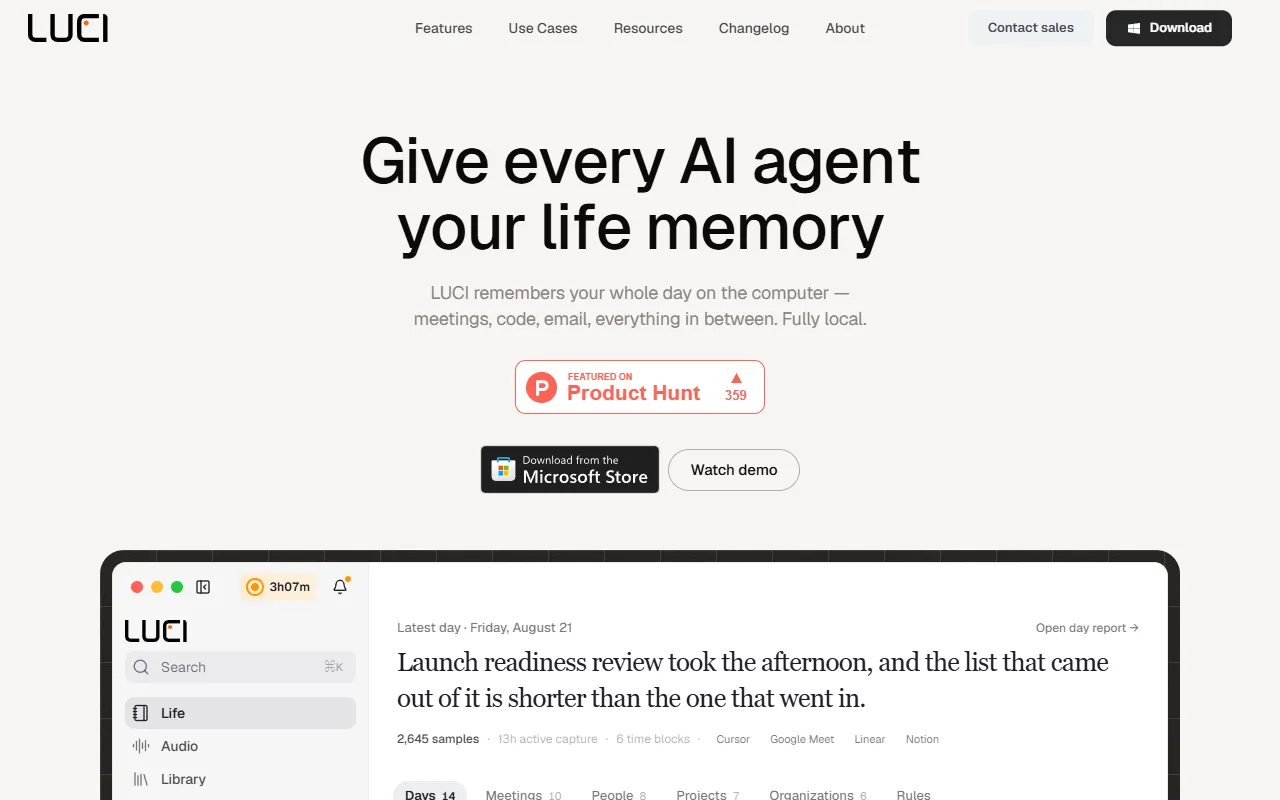
LUCI Desktop is an AI Notes tool that tracks computer activity and provides memory to AI agents. LUCI Desktop is free to use. It is available on macOS and Windows. It is aimed at developers, productivity enthusiasts and ai agent users.
LUCI tracks your computer activity, including meetings, code, and emails, and provides this memory to AI agents like Claude Code, Cursor, and Codex. It operates locally and is free to use.
Built for developers, productivity enthusiasts, ai agent users and data analysts.
Features
Meeting and call notes
Creates notes without a bot joining the call
On-device understanding
Agent Bridge
Connects with Claude, Cursor, and Codex
Cards, keys, and passwords blacked out
Safeguards sensitive information before saving
Hours with a capture block
Works with agents
Integrates with existing AI agents
Chronology
Visual memory
Voice & transcripts
Use cases
- Access AI agents with your personal computer memory
- Retrieve unbookmarked pages using AI agents
- Recall decisions from past calls with AI agents
- Secure sensitive information during data storage
- Organize daily activity chronologically
- Display events in chronological order
Popular use cases
Who it's for
Pros & cons
Pros
- Public API available
- Free plan available
- Unlimited agent runs across all skills
- Unlimited meeting transcriptions
- Unlimited voice-triggered tasks
Cons
No documented limitations yet.
Pricing
Free.
| Plan | Price |
|---|---|
| Free | Free |
| Free — forever | Free |
Developer & API
Public API available
Open source· MIT· 6 stars· 0 forks
Security & compliance
- Encryption
- Data deletion
As stated on LUCI Desktop's website — not independently verified by AiByts.
FAQ
What is LUCI Desktop?
LUCI Desktop is an AI Notes tool that tracks computer activity and provides memory to AI agents. LUCI tracks your computer activity, including meetings, code, and emails, and provides this memory to AI agents like Claude Code, Cursor, and Codex. It operates locally and is free to use.
Is LUCI Desktop free?
Yes, LUCI Desktop is free to use.
How much does LUCI Desktop cost?
LUCI Desktop offers 2 plans: Free (Free) and Free — forever (Free).
Does LUCI Desktop have an API?
Yes, LUCI Desktop offers a public API for building custom integrations.
What platforms does LUCI Desktop support?
LUCI Desktop is available on macOS and Windows.
Who should use LUCI Desktop?
LUCI Desktop is built for developers, productivity enthusiasts, ai agent users, data analysts and software engineers. Common uses: access AI agents with your personal computer memory, retrieve unbookmarked pages using AI agents, recall decisions from past calls with AI agents and secure sensitive information during data storage.
What does LUCI Desktop integrate with?
LUCI Desktop integrates with Slack, Microsoft Teams, Discord, Notion, Gmail, Google Meet, Zoom and GitHub, among 11 integrations.
Is LUCI Desktop open source?
Yes, LUCI Desktop is open source under the MIT license.
What are the best alternatives to LUCI Desktop?
Similar tools on AiByts include RecordMeeting, Causal, Wispr Flow, Krisp and Omi.
LUCI Desktop news & updates
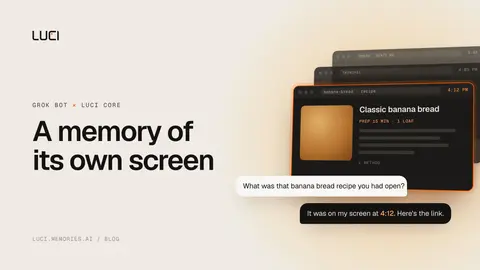
Give Grok Bot a Memory of Its Own Screen
Paste one prompt and your Grok Bot installs LUCI Core, then answers what it saw, read, or did earlier from its own screen history. Setup, examples, limits.
LUCI Desktop Blog6 min read
Fix: Fireflies Didn't Record My Meeting
The call happened, Fred never showed, and there is no transcript. Here is the checklist that recovers most cases, and the one failure no setting fixes.
LUCI Desktop Blog7 min readFix: Otter Is Only Recording My Voice
Otter transcribed you and nobody else? Headphones, Chrome's echo cancellation flag, and Safari are the usual causes. Here is the fix for each one.
LUCI Desktop Blog7 min readFix: Microsoft Recall Is Eating Your Disk Space
Recall claims up to 150 GB by default and quietly stops saving below 25 GB free. Here is how to cap snapshot storage before it caps you.
LUCI Desktop Blog7 min readFix: Granola calendar not syncing or showing events
Granola's Coming up section is empty and no meeting notifications fire. Here is why calendar sync breaks, and every fix, in the order worth trying.
LUCI Desktop Blog8 min readCluely Alternatives: What Users Switch To in 2026
Cluely went from cheating tool to meeting assistant. Where its users go instead, what each replacement actually gets right, and who should pick which.
LUCI Desktop Blog8 min readMeetily vs Granola: open source vs cloud notes
Meetily is MIT-licensed and runs Whisper on your machine. Granola is bot-free but transcribes in the cloud. Side by side on privacy, labels, and cost.
LUCI Desktop Blog4 min readFix: Granola only labels speakers Me and Them
Granola's desktop transcript tags every voice as Me or Them. Here is why bot-free tools struggle with speaker labels, and how to get real names today.
LUCI Desktop Blog5 min readLife memory for therapists, between the sessions
Session recall three weeks later, no bot in the telehealth call, records that stay on your machine. And what an agent can honestly be asked to do.
LUCI Desktop Blog4 min readA life memory for investors: who said what number
You took nine calls on Tuesday. On Monday a partner asks about the fourth one. What changes when your computer keeps the record your notes missed.
LUCI Desktop Blog4 min readLife memory for lawyers: the whole working day
Billable reconstruction, matter timelines, privilege. What changes when your computer remembers your entire day and your agent can read it.
LUCI Desktop Blog4 min readLife memory for consultants: four clients, one day
Context switching, decision trails, and deliverable archaeology. What changes when your computer remembers every engagement and your agent can ask it.
LUCI Desktop Blog5 min readA manager's life memory, not employee monitoring
Review season, six write-ups due, and your notes on one engineer are three lines from January. What changes when your own workday has a searchable memory.
LUCI Desktop Blog5 min readLife memory for knowledge workers: where did I see that
The 20 minutes you burn rebuilding context after every switch, and what changes when your agent can read the day you already lived.
LUCI Desktop Blog5 min readLife memory for sales teams: deal history, recalled
A rep gets asked what we quoted in April and the answer is buried across four calls and a mail thread. What a life memory changes for sales.
LUCI Desktop Blog5 min readLife memory for creators: your research trail, kept
You saw the perfect reference on Tuesday and cannot find it on Friday. What changes when your computer remembers every tab, draft, and call.
LUCI Desktop Blog5 min readA life memory for founders, not a notetaker
An investor asks what changed since March. Your answer is scattered across six tools. What changes when your computer remembers all of it.
LUCI Desktop Blog5 min readFix: Meetily didn't auto-record my meeting
Meetily won't start recording on its own? Auto-detect is a Pro feature and still needs a click. Here are five workarounds that run today.
LUCI Desktop Blog6 min read
Details are compiled from LUCI Desktop's website and public sources, last verified Oct 6, 2026. Features and pricing change — confirm on the official site before you buy.
Try LUCI Desktop
Free
Tags
- Agent Memory
- Screen History
- Meeting Transcripts
- Visual Memory
- Voice Transcription
Comments
Sign in to join the discussion.